ANSYS Polyflow Simulation for Polymer Extrusion: Advanced Modeling Techniques for Biomedical Device Development
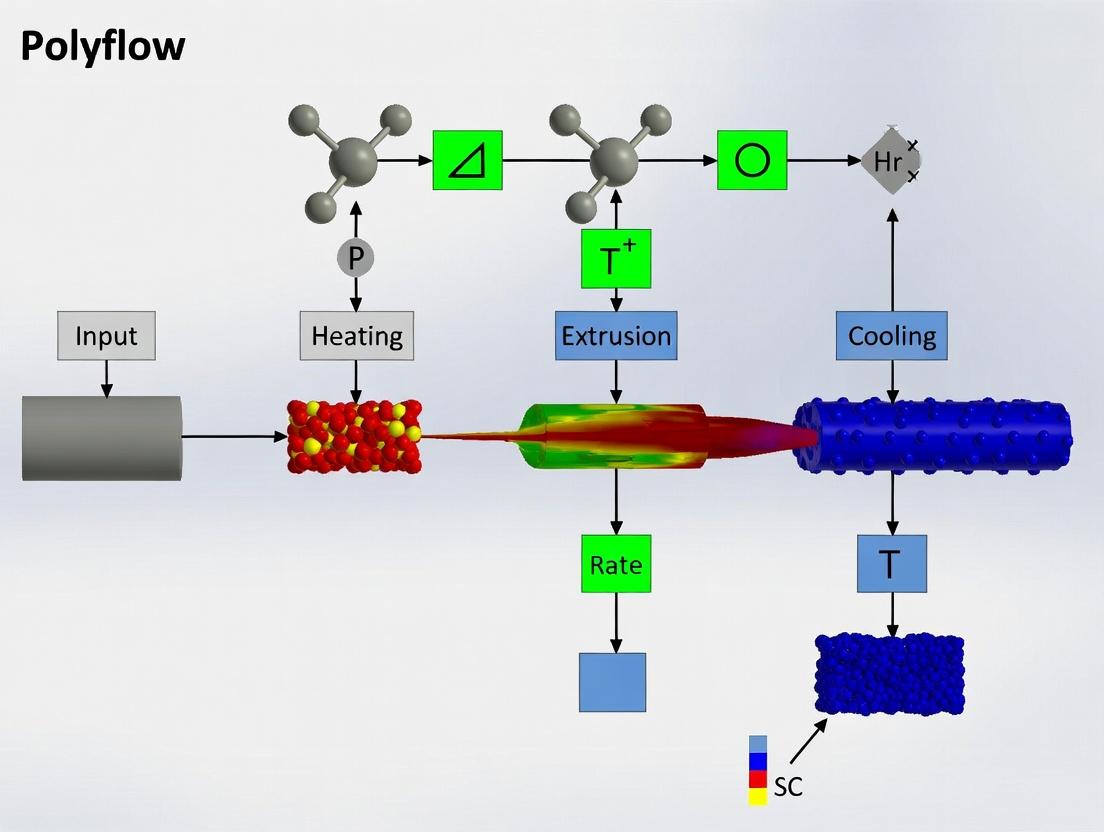
This article provides a comprehensive guide to leveraging ANSYS Polyflow for simulating polymer extrusion processes, with a specific focus on applications in biomedical and pharmaceutical device manufacturing.
ANSYS Polyflow Simulation for Polymer Extrusion: Advanced Modeling Techniques for Biomedical Device Development
Abstract
This article provides a comprehensive guide to leveraging ANSYS Polyflow for simulating polymer extrusion processes, with a specific focus on applications in biomedical and pharmaceutical device manufacturing. We explore foundational non-Newtonian fluid dynamics, detail practical methodologies for modeling screws, dies, and co-extrusion, address critical troubleshooting for defects like die swell and melt fracture, and discuss validation against experimental data. Aimed at researchers and development professionals, this guide bridges simulation theory with practical optimization for creating drug delivery systems, lab-on-a-chip devices, and implantable polymer components.
Mastering the Fundamentals: Non-Newtonian Flow and Polymer Rheology in ANSYS Polyflow
Application Notes: Polymer Extrusion in Medical Device Fabrication
Polymer extrusion is a foundational, continuous manufacturing process for producing a wide array of biomedical devices, including catheters, tubing, fibers for tissue engineering scaffolds, and filament for 3D printing of implants. The process involves melting polymer pellets (e.g., PLGA, PCL, PU, medical-grade PVC) in a heated barrel and forcing the viscous melt through a die to create a continuous profile with a defined cross-section. Precision control over thermal and shear history is critical to ensure the final device meets stringent requirements for biocompatibility, mechanical properties, and dimensional accuracy.
The integration of ANSYS Polyflow simulation into research and development provides a powerful tool for virtual prototyping. It enables researchers to model complex non-Newtonian fluid dynamics, predict velocity/temperature fields, shear stress, and pressure drop, and optimize die design before physical trials. This significantly reduces material waste, accelerates development cycles, and enhances understanding of process-structure-property relationships critical for regulatory submissions.
Table 1: Common Biomedical Polymers and Key Extrusion Parameters
| Polymer | Typical Medical Application | Recommended Melt Temp (°C) | Key Extrusion Challenge | ANSYS Polyflow Relevance |
|---|---|---|---|---|
| PLGA (85:15) | Bioresorbable sutures, scaffolds | 180-220 | Hydrolysis/degradation if moisture present | Modeling thermal degradation kinetics |
| PCL | Long-term implantable devices, drug delivery | 60-100 | Low melt strength, difficult to draw | Viscoelastic flow simulation for draw-down |
| Medical-Grade PVC | Flexible tubing, blood bags | 170-190 | Thermal stabilizer leaching | Predicting thermal history to minimize degradation |
| Polyurethane (TPU) | Vascular grafts, cardiac leads | 190-220 | Melt fracture at high shear rates | Analyzing wall shear stress to eliminate defects |
| UHMWPE | Orthopedic bearing surfaces | 200-250 | Extremely high viscosity, non-Newtonian | Accurate shear-thinning power-law modeling |
Table 2: Critical Quality Attributes (CQAs) for Extruded Medical Devices
| CQA | Target Range (Example) | Influential Extrusion Parameter | Measured Via |
|---|---|---|---|
| Outer Diameter | 2.00 mm ± 0.05 mm | Die swell, haul-off speed | Laser micrometer |
| Wall Thickness Uniformity | < ±5% variation | Die centering, melt homogeneity | Optical Coherence Tomography |
| Tensile Strength | > 20 MPa | Molecular orientation (draw ratio) | Instron Tensile Tester |
| Surface Roughness (Ra) | < 0.8 µm | Melt fracture, cooling rate | Profilometry/AFM |
| Residual Stress | Minimized | Cooling profile, draw-down | Photoelasticity or simulated |
Experimental Protocols
Protocol 1: Single-Screw Extrusion of PLGA Monofilament for Surgical Sutures
Objective: To produce a consistent, high-strength, bioresorbable PLGA monofilament with a target diameter of 0.3 mm.
Materials & Pre-processing:
- PLGA (85:15) pellets (Purac Biomaterials).
- Vacuum oven for drying (12 hrs at 50°C, <0.02% moisture).
- Laboratory-scale single-screw extruder (e.g., Thermo Scientific Haake MiniLab) with a 2 mm diameter rod die.
- Calibrated haul-off unit and spooler.
- Three-zone temperature-controlled water bath for cooling.
Procedure:
- Material Preparation: Dry PLGA pellets in a vacuum oven per manufacturer specifications. Store in a desiccator until use.
- Extruder Setup: Configure the extruder with a 2 mm circular die. Set the temperature profile along the three heating zones: Zone 1 (Feed): 160°C, Zone 2 (Transition): 180°C, Zone 3 (Metering/Die): 190°C. Allow system to equilibrate for 30 minutes.
- Purging & Priming: Purge the barrel with a lower-temperature polymer (e.g., PLA) if needed. Feed dried PLGA pellets manually until a clean melt extrudes.
- Steady-State Operation: Run the extruder at a screw speed of 20 rpm. Allow 15 minutes for steady-state conditions.
- Drawing & Quenching: Gently guide the extrudate through a 40°C water bath placed 5 cm from the die exit. Attach the filament to the haul-off unit set at a speed of 15 m/min to achieve the desired draw-down ratio (~10:1).
- Collection: Spool the finalized monofilament under constant tension. Label and store in a desiccated, UV-light-free environment.
- Process Monitoring: Record actual barrel temperatures, screw speed, melt pressure, and haul-off speed.
Protocol 2: Tubular Extrusion of PU for Vascular Conduit Prototyping
Objective: To co-extrude a two-layer tubular structure mimicking a vascular graft, with an inner diameter of 4 mm and a wall thickness of 0.5 mm.
Materials:
- Medical-grade thermoplastic polyurethane (TPU) pellets (e.g., Tecothane) – two colors or grades for layer distinction.
- Co-axial tubular die with mandrel and spider legs.
- Dual-stream single-screw extruder or two synchronized extruders.
- Precision peristaltic pump for lumen pressurization (optional).
- Laser gauge for diameter measurement.
Procedure:
- Die Design & Setup: Install a co-axial die with independent melt channels for inner and outer layers. Set mandrel to target 4 mm ID.
- Temperature Profiling: Set a balanced temperature profile for both TPU streams, ramping from 180°C (feed) to 210°C (die).
- Co-extrusion Initiation: Start both extruders at low speed (10 rpm). Introduce internal air pressure (0.5 Bar) via the mandrel to prevent tube collapse.
- Haul-off & Sizing: Guide the soft tube through a calibrated sizing sleeve and into a 10°C water bath placed 20 cm downstream. Engage the haul-off unit.
- Layer Ratio Control: Adjust the relative screw speeds of the two extruders to achieve the desired inner/outer layer thickness ratio (e.g., 1:1).
- Process Optimization: Use in-line laser micrometry for real-time OD feedback to adjust haul-off speed or internal pressure dynamically.
- Collection: Cut samples for characterization and spool the remainder.
The Scientist's Toolkit: Research Reagent Solutions & Essential Materials
Table 3: Key Materials & Reagents for Biomedical Polymer Extrusion Research
| Item Name/Class | Example Product/Chemical | Primary Function in Research |
|---|---|---|
| Bioresorbable Polymer | PLGA (Lactel Absorbable Polymers) | Raw material for temporary implants; study degradation kinetics vs. extrusion history. |
| Thermoplastic Elastomer | ChronoFlex C (AdvanaSource) | Material for flexible, implantable devices; study melt fracture limits and compliance. |
| Medical-Grade Masterbatch | Colorant Masterbatch (Colorite) | Adds traceable color for layer distinction or UV stabilization without compromising biocompatibility. |
| Processing Stabilizer | Irganox 1010 (BASF) | Antioxidant added to prevent thermal-oxidative degradation during processing. |
| Plasticizer (for rigid polymers) | Acetyl Tributyl Citrate (ATBC) | Increases flexibility and processability of polymers like PVC; study leaching potential. |
| In-line Rheometer | Goettfert RheoTester | Attached to die, provides real-time viscosity & shear rate data for model validation. |
| ANSYS Polyflow Software | ANSYS Academic Research | Finite Element Analysis software for simulating extrusion, die swell, and mixing. |
| Characterization: DSC | TA Instruments Q20 | Determines thermal transitions (Tg, Tm, crystallinity) affected by extrusion thermal history. |
| Characterization: GPC/SEC | Agilent InfinityLab | Measures molecular weight distribution to quantify shear-induced chain scission. |
Visualization: Experimental and Simulation Workflows
Diagram Title: Integrated Simulation-Experimental Workflow for Extrusion Optimization
Diagram Title: Cause-Effect Map of Extrusion Parameters on Final Device Quality
Application Notes: Rheological Models for Polymer Extrusion Simulation
The accurate simulation of polymer extrusion in ANSYS Polyflow hinges on selecting an appropriate constitutive model that captures both viscoelastic stress relaxation and shear-thinning viscosity. The following models are critical for predicting flow instabilities, die swell, and final product morphology.
Quantitative Comparison of Common Constitutive Models
Table 1: Key Rheological Models for Polymer Melt Simulation in ANSYS Polyflow
| Model Name | Type | Key Parameters (Typical Units) | Best For | Limitations |
|---|---|---|---|---|
| Generalized Newtonian (Power Law) | Viscosity-only | ( K ) (Pa·sⁿ), ( n ) (-), ( \dot{\gamma}_0 ) (1/s) | High shear, dominant viscous flows. | Cannot predict viscoelastic effects like normal stresses. |
| Carreau-Yasuda | Viscosity-only | ( \eta0 ) (Pa·s), ( \eta\infty ) (Pa·s), ( \lambda ) (s), ( a ) (-), ( n ) (-) | Capturing zero-shear plateau and shear-thinning. | Purely viscous, no elasticity. |
| Upper-Convected Maxwell (UCM) | Viscoelastic | ( \eta ) (Pa·s), ( \lambda ) (s) | Basic stress relaxation, theoretical analysis. | No shear-thinning, excessive strain hardening. |
| Giesekus | Viscoelastic | ( \eta ) (Pa·s), ( \lambda ) (s), ( \alpha ) (-) | Shear-thinning, normal stresses, polymer anisotropy. | More complex parameter fitting. |
| Phan-Thien Tanner (PTT) | Viscoelastic | ( \eta ) (Pa·s), ( \lambda ) (s), ( \epsilon ) (-), ( \xi ) (-) | Elongational flows, strain softening, die swell. | Multiple parameters require extensive data. |
Note: ( \eta_0 ): zero-shear viscosity; ( \eta_\infty ): infinite-shear viscosity; ( \lambda ): relaxation time; ( K ): consistency index; ( n ): power-law index; ( \alpha, \epsilon, \xi ): model-specific nonlinear parameters.
Protocol: Determination of Model Parameters from Rheometry Data
Objective: To experimentally obtain parameters for the Giesekus model using small-amplitude oscillatory shear (SAOS) and steady shear measurements.
Materials & Equipment:
- Strain-controlled rotational rheometer (e.g., TA Instruments ARES-G2, Malvern Kinexus).
- Parallel plate geometry (8-25 mm diameter).
- Polymer sample disks, compression-molded.
- Environmental test chamber for temperature control.
Procedure:
Sample Loading & Temperature Equilibrium:
- Preheat rheometer plates to target processing temperature (e.g., 200°C).
- Load polymer disk onto the lower plate.
- Lower the upper plate to a defined gap (typically 1.0 mm). Trim excess material.
- Allow sample to thermally equilibrate for 10 minutes under a nitrogen blanket to prevent degradation.
Small-Amplitude Oscillatory Shear (SAOS) - Linear Viscoelasticity:
- Perform a strain sweep (0.1-10% strain) at a fixed angular frequency (ω = 10 rad/s) to determine the linear viscoelastic region (LVR).
- Execute a frequency sweep (e.g., 0.1 to 100 rad/s) within the LVR (typically 1% strain).
- Record storage modulus ((G')), loss modulus ((G'')), and complex viscosity ((|\eta^*|)).
- Data Fitting (Part 1): Fit the discrete relaxation spectrum ({gi, \lambdai}) to the (G') and (G'') master curves using the TA Instruments TRIOS software or equivalent. A single-mode Giesekus model can be initialized using the dominant relaxation time (( \lambda{max} )) and plateau modulus (( GN^0 = \sum g_i )).
Steady Shear - Nonlinear Viscosity & Normal Stress:
- Conduct steady shear rate sweeps from low shear (0.01 1/s) to high shear (1000 1/s).
- Record steady-state shear viscosity ((\eta)) and first normal stress difference ((N_1)) if measurable.
- Data Fitting (Part 2): In ANSYS Polyflow's material property fitting module or external software (e.g., MATLAB), fit the Giesekus model parameters ((\eta0, \lambda, \alpha)) simultaneously to:
- The complex viscosity (|\eta^|)(ω) data (using the Cox-Merz rule: (|\eta^|)(ω) ≈ (\eta(\dot{\gamma})) for ω = (\dot{\gamma})).
- The steady shear viscosity (\eta(\dot{\gamma})) data.
- The (N1) vs (\dot{\gamma}) data (if available).
Validation:
- Use the fitted parameters in a simple 2D axisymmetric die flow simulation in ANSYS Polyflow.
- Compare simulated pressure drop and die swell ratio with a bench-scale extrusion experiment.
Protocol: Coupled Extrusion & Swell Simulation in ANSYS Polyflow
Objective: To simulate the non-isothermal, viscoelastic flow of a shear-thinning polymer through an extrusion die and predict the post-die swell.
Workflow:
Diagram Title: ANSYS Polyflow Extrusion Simulation Workflow
Detailed Steps:
Geometry & Mesh:
- Create a 2D axisymmetric or 3D model of the die flow region in ANSYS DesignModeler or SpaceClaim. Include an extended domain beyond the die exit to capture swell.
- Import geometry into ANSYS Meshing. Generate a hybrid mesh (quadrilaterals in the main flow, triangles in swell region). Ensure high mesh density (boundary layers) near the die walls and exit.
Material Model Definition:
- In Polyflow, select "Generalized Newtonian" or "Viscoelastic" fluid.
- For shear-thinning without elasticity: Select the Carreau-Yasuda model. Input parameters ((\eta_0, \lambda, a, n)) from Table 1.
- For viscoelastic + shear-thinning: Select the Giesekus or PTT model. Input the parameters ((\eta_0, \lambda, \alpha) or (\epsilon, \xi)) obtained from Protocol 1.2.
Boundary Conditions & Solver Setup:
- Inlet: Volume flow rate (or average velocity).
- Walls: No-slip condition. Set a fixed temperature (e.g., 200°C).
- Outlet (Free Surface): Use the "Remeshing" technique with the Spine method. Apply normal stress = 0 (atmospheric pressure).
- Solver: Choose "Segregated" solver for viscoelastic flows. Enable "Free Surface Tracking." Set appropriate convergence criteria for stresses (e.g., 1E-4).
Post-Processing:
- Calculate the die swell ratio = (extrudate diameter at equilibrium) / (die diameter).
- Analyze pressure drop along the die length.
- Visualize shear rate, viscosity, and first normal stress difference fields to identify regions of high stress or excessive thinning.
The Scientist's Toolkit: Key Research Reagents & Materials
Table 2: Essential Materials for Polymer Rheology & Extrusion Research
| Item | Function/Description | Example/Supplier |
|---|---|---|
| Model Polymer Resins | Well-characterized, standard materials for method validation. | Polystyrene (PS) NIST 706, Polypropylene (PP), Polyethylene (PE). |
| Stabilized Polymer Pellets | Prevent oxidative degradation during high-temperature rheology. | Pellets with added BHT or phosphite stabilizers (e.g., from Sigma-Aldrich). |
| Compression Molding Press | To prepare uniform, bubble-free disks for rheometry. | Carver Laboratory Press with heated platens. |
| Parallel Plate & Cone-Plate Geometry | Rheometer fixtures for measuring viscous and elastic properties. | Stainless steel or quartz, 8-25 mm diameter (TA Instruments, Anton Paar). |
| ANSYS Polyflow License | Finite Element software for simulating viscoelastic, non-Newtonian flows. | Academic or commercial license from ANSYS Inc. |
| High-Performance Computing (HPC) Cluster | For running large, transient 3D viscoelastic simulations. | Local university cluster or cloud-based HPC (AWS, Azure). |
| Capillary Rheometer | Measures viscosity at very high shear rates relevant to extrusion (>1000 1/s). | Rosand RH7/Dynisco LCR. |
| Laboratory-Scale Twin-Screw Extruder | For validating simulation predictions (swell, pressure) under real conditions. | Thermo Scientific Process 11, Xplore MC15. |
Application Notes: Core Polyflow Modules for Extrusion
Polymer extrusion research within ANSYS Workbench leverages specialized Polyflow modules integrated into a unified simulation environment. The following table summarizes the key quantitative data and functional roles of the primary modules.
Table 1: Key ANSYS Polyflow Modules for Extrusion Simulation
| Module Name | Primary Function | Key Quantitative Outputs | Integration within Workbench |
|---|---|---|---|
| Polydata | Pre-processor for defining geometry, mesh, and physics. | Mesh metrics (elements, skewness), Boundary condition IDs, Material zone definitions. | Accessed as the "Setup" cell; feeds data to the Polyflow solver. |
| Polyflow Solver | Finite-element solver for viscoelastic & generalized Newtonian flows. | Pressure drop (Pa), Flow rate (kg/s), Shear rate (1/s), Temperature (K), Velocity field. | Core solver engine; configured via Polydata and controlled by Workbench. |
| CFD-Post | Advanced post-processor for visualization and data extraction. | Extrudate swell (%), Die pressure (MPa), Velocity profile plots, Mixing index. | Standard post-processing module within the ANSYS ecosystem. |
| Anisotropic Diffusion | Models fiber orientation in filled polymers. | Orientation tensor components, Principal direction angles. | Add-on physics activated within the Polydata pre-processor. |
| Remeshing (ALE) | Manages mesh deformation for free surface flows (e.g., swell). | Mesh quality over time, Node displacement thresholds. | Critical sub-module for transient extrusion simulations. |
Experimental Protocols for Extrusion Simulation
Protocol 2.1: Steady-State 2D Axisymmetric Die Flow Analysis
Objective: To predict pressure drop and velocity profile for a capillary die.
- Workbench Project Setup: Launch ANSYS Workbench. Drag a "Polyflow" component system into the Project Schematic.
- Geometry: In the "Geometry" cell, create or import a 2D axisymmetric representation of the die flow region.
- Mesh: Generate a high-resolution mesh near the die walls using inflation layers. Target skewness < 0.9.
- Polydata Setup: Double-click "Setup" to launch Polydata.
- Subtask: Create a "New task" → "F.E.M. task 1".
- Material Model: Define a generalized Newtonian model (e.g., Carreau). Input parameters: Zero-shear viscosity (η₀), Power-law index (n), Time constant (λ).
- Boundary Conditions: Specify Inlet (volumetric flow rate), Walls (no-slip), Axis of symmetry, and Outlet (atmospheric pressure).
- Numerical Parameters: Select "Steady-state" analysis and "U/P formulation".
- Solution: In Workbench, run the "Solution" cell. Monitor residuals for convergence (< 10⁻⁴).
- Post-Processing: Open "Results" in CFD-Post. Create contour plots for pressure and velocity. Plot velocity profile at the die exit.
Protocol 2.2: Transient 3D Extrudate Swell Simulation
Objective: To simulate the time-dependent swelling of a polymer after exiting a die.
- Follow Steps 1-3 from Protocol 2.1 for a 3D die geometry.
- Polydata Setup:
- Subtask: "New task" → "3D extrusion task".
- Free Surface: Activate the "Remeshing" technique with the "ALE" method. Define the initial free surface location at the die exit.
- Transient Settings: Define time step and total simulation time based on characteristic flow time.
- Material Model: Use a viscoelastic model (e.g., Giesekus) if necessary. Input parameters: Solvent viscosity, polymer viscosity, relaxation time, mobility parameter.
- Solution: Execute the transient solver. Monitor mesh quality and remeshing triggers.
- Post-Processing: Animate the free surface deformation. Quantify the steady-state swell ratio as (Final Diameter / Die Diameter) * 100%.
Visualization Diagrams
Title: Polyflow Workbench Simulation Workflow
Title: Polydata Pre-processing Logic Flow
The Scientist's Toolkit: Research Reagent Solutions
Table 2: Essential Materials & Digital Tools for Polyflow Extrusion Research
| Item Name | Category | Function in Research |
|---|---|---|
| Carreau Model Parameters | Material Data | Describe shear-thinning behavior of polymers; critical for accurate viscosity prediction. |
| Giesekus Model Parameters | Material Data | Define viscoelastic stress response for simulating extrudate swell and normal stresses. |
| High-Resolution Mesh | Digital Tool | Enables resolution of high shear rate gradients near die walls; foundation of solution accuracy. |
| Remeshing (ALE) Controls | Solver Setting | Manages mesh distortion during free surface flow, allowing for stable transient swell simulation. |
| User-Defined Function (UDF) | Custom Code | Allows implementation of proprietary material models or complex boundary conditions. |
| Mixing Index Calculator | Post-Processing Script | Quantifies distributive mixing efficiency in static mixers or extruder sections. |
Within a broader thesis utilizing ANSYS Polyflow for polymer extrusion research—particularly relevant to pharmaceutical hot-melt extrusion (HME) for amorphous solid dispersions—the accurate definition of non-Newtonian fluid behavior is paramount. The selection and calibration of appropriate rheological models (Power Law, Carreau, Cross) directly dictate the fidelity of simulations predicting flow, pressure drop, shear heating, mixing, and ultimately, product quality. This document provides application notes and protocols for this critical pre-processing step.
Rheological Model Definitions and Data Fitting
The generalized Newtonian fluid models relate the shear stress (τ) to the shear rate (γ̇) via the apparent viscosity (η). The model parameters are typically determined by fitting to experimental rotational or capillary rheometry data.
Table 1: Rheological Model Equations and Parameter Descriptions
| Model | Equation | Key Parameters | Physical Interpretation |
|---|---|---|---|
| Power Law | η = K γ̇^(n-1) | K: Consistency Index (Pa·sⁿ). n: Power Law Index. |
n<1: Shear-thinning. n=1: Newtonian. Simple, limited range. |
| Carreau | η(γ̇) = η∞ + (η₀ - η∞)[1 + (λγ̇)²]^((n-1)/2) | η₀: Zero-shear viscosity (Pa·s). η∞: Infinite-shear viscosity (Pa·s). λ: Time constant (s). n: Power Law Index. |
Captures Newtonian plateaus at low/high shear, transition region. |
| Cross | η(γ̇) = η∞ + (η₀ - η∞) / [1 + (λγ̇)^m] | η₀: Zero-shear viscosity (Pa·s). η∞: Infinite-shear viscosity (Pa·s). λ: Time constant (s). m: dimensionless rate constant. |
Similar to Carreau, different transition shape. |
Table 2: Example Fitted Model Parameters for a Model API-Polymer Blend (at 180°C)
| Material Blend | Model | η₀ (Pa·s) | η∞ (Pa·s) | K (Pa·sⁿ) | λ (s) | n | m | R² |
|---|---|---|---|---|---|---|---|---|
| PVP VA64 / Itraconazole (70/30) | Power Law | - | - | 1250 | - | 0.45 | - | 0.972 |
| Carreau | 8500 | 10 | - | 0.15 | 0.38 | - | 0.998 | |
| Cross | 8800 | 8 | - | 0.12 | - | 0.68 | 0.997 |
Experimental Protocols
Protocol 1: Generating Viscosity Data via Parallel-Plate Rheometry
Objective: Obtain steady-shear viscosity vs. shear rate data for model calibration.
- Sample Preparation: Dry polymer/API physical blend at 50°C under vacuum for 12h. For pre-processed material, mill extrudate into granules.
- Loading: Preheat rheometer (e.g., TA Instruments DHR, MCR series) to test temperature (e.g., 180°C). Load sample onto lower plate, lower upper plate (1mm gap), trim excess.
- Equilibration: Allow temperature to re-equilibrate for 5 min, close environmental hood.
- Stress Sweep: Perform an oscillatory stress sweep at 1Hz to determine the linear viscoelastic region (LVR).
- Steady Shear Test: In controlled shear rate mode, perform a logarithmic sweep from 0.01 to 1000 s⁻¹. Record steady-state viscosity (η) and shear stress (τ) at each point. Ensure measurements are within the LVR-derived normal force limits.
- Repeat: Perform triplicate runs on fresh samples.
Protocol 2: Model Fitting and Selection Workflow
Objective: Calibrate model parameters and select the most appropriate model for Polyflow.
- Data Import: Import averaged shear rate-viscosity data into fitting software (e.g., TA Trios, RheoCompass, or MATLAB).
- Initial Fit: Sequentially fit the Power Law, Carreau, and Cross models to the data using a non-linear least squares algorithm.
- Goodness-of-Fit Analysis: Record R², reduced chi-squared (χ²), and visually inspect fit across the entire shear rate range, especially at the anticipated processing shear rates (typically 10-500 s⁻¹ for extrusion).
- Extrapolation Check: Evaluate model behavior outside the measured range. Power Law may diverge unrealistically at low shear rates.
- Selection for Simulation: For ANSYS Polyflow, choose the model with the best fit across the relevant shear rate window. If
η₀data is absent, a truncated Carreau or Power Law may be used with caution regarding low-shear predictions.
Visualizations
Title: Rheological Model Selection and Calibration Workflow
Title: Rheological Model Behavior Comparison
The Scientist's Toolkit
Table 3: Key Research Reagent Solutions and Materials for Rheological Analysis
| Item | Function/Description | Example (for illustration) |
|---|---|---|
| Polymer Carrier | Primary matrix for API; dictates base rheology. | PVP-VA64, HPMCAS, Soluplus, Eudragit E PO. |
| Active Pharmaceutical Ingredient (API) | Therapeutic compound; affects Tg, plasticization, viscosity. | Itraconazole, Ibuprofen, Griseofulvin. |
| Plasticizer | Modifies glass transition (Tg) and melt viscosity. | Triethyl citrate (TEC), PEG 6000, Dibutyl sebacate. |
| Thermal Stabilizer | Prevents oxidative degradation during high-temp testing. | Butylated hydroxytoluene (BHT) at 0.1-0.5% w/w. |
| Rheometer Calibration Standard | Verifies torque and temperature accuracy of instrument. | NIST-traceable silicone oil or standard reference fluid. |
| Inert Atmosphere Kit | Prevents oxidative degradation during measurement. | Rheometer environmental hood with nitrogen purge. |
| ANSYS Polyflow License | Finite Element Analysis software for viscoelastic flow simulation. | Includes generalized Newtonian fluid model solvers. |
| Data Fitting Software | Performs non-linear regression on η vs. γ̇ data. | TA Instruments TRIOS, MATLAB Curve Fitting Toolbox. |
Within the context of a broader thesis on ANSYS Polyflow simulation for polymer extrusion research, accurate pre-processing is the critical foundation for predictive computational fluid dynamics (CFD). This protocol details the essential steps for geometry preparation, meshing, and boundary condition definition specific to extrusion flow analyses, such as for pharmaceutical film casting or catheter tubing production.
Geometry Cleanup and Preparation Protocol
Extrusion dies, often designed in CAD, contain features that impede high-quality meshing. The following protocol is mandatory.
Objective: To import and prepare a 2D axisymmetric or 3D extrusion die geometry for robust mesh generation.
Materials & Software:
- CAD file (e.g., STEP, IGES) of the extrusion die.
- ANSYS SpaceClaim Direct Modeler or ANSYS DesignModeler.
- ANSYS Workbench project.
Methodology:
- Import: Launch ANSYS Workbench. Create a
Polyflowsystem. Right-click on theGeometrycell and import the CAD file. - Defeaturing: In the geometry editor, suppress or remove non-essential features:
- Remove tiny fillets and chamfers (< 1% of smallest channel gap).
- Suppress bolt holes, alignment pins, and text engraving.
- Use the "Fill" tool to close small gaps.
- Fluid Domain Extraction: For internal flows, use the "Enclosure" or "Fill" tool to create the fluid volume interior to the die. Delete the solid die geometry.
- Simplification: For symmetric flows, use the "Slice" tool to create a symmetric fraction (e.g., 90° for a spider die) to reduce computational cost. Apply symmetry boundary conditions later.
- Validation: Check for any remaining gaps, leaks, or overlapping surfaces using the "Repair" tool. Ensure all surfaces form a closed, watertight volume.
Table 1: Common Geometry Defeaturing Thresholds for Polymer Extrusion
| Feature Type | Recommended Action | Typical Threshold (Relative to Gap, H) | Rationale |
|---|---|---|---|
| Fillet Radius | Remove if R < 0.05H | 5% | Prevents excessively small mesh elements. |
| Chamfer | Remove if length < 0.03H | 3% | Simplifies geometry for structured meshing. |
| Tiny Holes | Suppress if diameter < 0.1H | 10% | Removes inconsequential flow features. |
| Surface Text | Always suppress | N/A | Generates non-essential, distorted surface mesh. |
Diagram Title: Geometry Cleanup Workflow for Extrusion
Mesh Generation Protocol for Viscous Flows
Polyflow solves the Stokes flow equations, requiring a mesh that accurately captures high velocity gradients.
Objective: To generate a high-quality computational mesh suitable for large viscosity gradients and free surfaces (if applicable).
Methodology:
- Mesher Selection: In the Polyflow setup within Workbench, access the
Meshcomponent.- For 2D axisymmetric or simple 3D dies: Use
ANSYS Meshingwith a structured quad/hex dominant method. - For complex 3D dies: Use
ANSYS Meshingwith a tetrahedral/polyhedral method and robust inflation layers.
- For 2D axisymmetric or simple 3D dies: Use
- Global Sizing: Set a relevance center to "Fine". Define a maximum element size based on the smallest gap (H_min):
Max Size = H_min / 3. - Inflation Layers: Critical for wall shear rate calculation.
- Apply inflation to all wall boundaries.
- First layer thickness: Use Polyflow's
y+<< 1 estimation. For a power-law fluid, estimate δ ≈ (H/2)*(η/ρU)^(1/2). Start with δ = H_min/100. - Number of layers: 10-15 minimum. Growth rate: 1.2.
- Local Refinement: Apply face sizing to regions of high curvature (e.g., die lips, contraction zones) with an element size 50% smaller than the global size.
- Mesh Quality Metrics: Generate the mesh and check the following metrics:
Table 2: Mesh Quality Metrics and Targets for Polyflow Extrusion Simulations
| Metric | Optimal Value | Minimum Acceptable | Check in ANSYS Meshing |
|---|---|---|---|
| Element Quality | 0.9 - 1.0 | > 0.15 | Mesh Metric > Element Quality |
| Skewness | 0.0 - 0.5 | < 0.95 | Mesh Metric > Skewness |
| Orthogonal Quality | 0.9 - 1.0 | > 0.05 | Mesh Metric > Orthogonal Quality |
| Aspect Ratio | 1 - 20 | < 1000 (inflation layers) | Mesh Metric > Aspect Ratio |
Diagram Title: Mesh Generation and Quality Control Protocol
Boundary Conditions Definition Protocol
Accurate boundary conditions are paramount for realistic extrusion simulation.
Objective: To define the physical constraints and material inlets/outlets for the extrusion flow problem.
Methodology:
- Inlet Boundary Condition:
- Type: Volumetric Flow Rate (Q) or Average Velocity (V_avg).
- For a single screw extruder feeding a die, Q is preferred. Calculate from screw speed and geometry.
- Set the flow direction (normal to boundary or defined vector).
- Specify the initial temperature field (often uniform).
- Wall Boundary Condition:
- Type: No-slip (standard). For wall slip phenomena (e.g., HDPE, silicones), use a non-linear slip law (e.g., Navier's linear slip law or a power-law slip model).
- Set wall temperature: Isothermal (constant) or adiabatic (zero heat flux).
- Outlet/Boundary Condition:
- For free surface flows (film, coating): Apply the
Normal stress = 0(traction-free) condition. - For confined outflows (pipe): Apply
Zero normal stressor a fixed pressure (e.g.,P = 0as gauge pressure). - For extrudate swell simulation: The outflow boundary must be placed sufficiently far downstream (typically 5-10x hydraulic diameter) to allow full swelling.
- For free surface flows (film, coating): Apply the
- Symmetry Planes:
- Apply the Symmetry boundary condition to reduced-domain faces.
- Ensures zero normal velocity and zero tangential stress.
Table 3: Standard Boundary Conditions for an Axisymmetric Die Swell Simulation
| Boundary Name | Boundary Type | Condition | Typical Value/Setting |
|---|---|---|---|
| Inlet | Inlet | Volumetric Flow Rate | Q = 1.0e-7 m³/s |
| Die Wall | Wall | No-Slip, Isothermal | u = 0, T = 200 °C |
| Centerline | Axis | Axisymmetry | Automatically set |
| Free Surface | Free Surface | Normal Stress = 0 | σ ⋅ n = 0 |
| Outflow | Outlet | Normal Stress = 0 | (For fully developed swell) |
The Scientist's Toolkit: Research Reagent Solutions for Extrusion Simulation
Table 4: Essential "Reagents" for ANSYS Polyflow Extrusion Pre-Processing
| Item / Software Module | Function in the "Experiment" |
|---|---|
| ANSYS SpaceClaim | Geometry defeaturing and fluid domain extraction. The primary tool for surgical removal of mesh-impediment features. |
| ANSYS Meshing | High-fidelity grid generation. Creates the computational cells (mesh) where governing equations are solved. |
| Inflation Layer Settings | Creates boundary layer mesh critical for resolving high shear rate gradients at walls, essential for viscosity-dependent flows. |
| Boundary Condition Definitions | Physically constrains the simulation, defining how material enters, interacts with walls, and exits the domain. |
| Mesh Quality Diagnostics | Quality metrics (skewness, orthogonal quality) act as "assay controls" to ensure solution accuracy and stability. |
| CAD File (STEP/IGES) | The initial "sample" or specimen—the digital twin of the physical extrusion die to be analyzed. |
Step-by-Step Guide: Setting Up and Solving Complex Extrusion Simulations in Polyflow
This Application Note details a protocol for simulating the processing of biomedical-grade polymers in a single-screw extruder using ANSYS Polyflow. The workflow is framed within a thesis on computational rheology for drug delivery system fabrication, providing researchers with a validated method to predict critical quality attributes like melt temperature homogeneity, shear stress, and residence time distribution—key factors influencing polymer degradation and active pharmaceutical ingredient (API) stability.
Key Research Reagent Solutions & Materials
The following table lists essential materials and digital resources central to this modeling field.
| Item Name | Category | Function / Description |
|---|---|---|
| ANSYS Polyflow (v2024 R2) | Software | Finite Element solver specialized for viscoelastic and non-Newtonian fluid flow with free surface tracking. |
| PLGA (Poly(lactic-co-glycolic acid)) | Material Model | A biodegradable, FDA-approved polymer. Rheological data (Carreau-Yasuda parameters) is required as input. |
| PVA (Polyvinyl Alcohol) | Material Model | Often used as a coating or bio-ink. Power-law model parameters are typically applied. |
| Thermo-History Sensitivity Function | User-Defined Function (UDF) | A custom subroutine to track and output the cumulative thermal exposure of a fluid particle. |
| Screw Geometry Parameterization Script | Digital Tool | A Python/APDL script to parametrically generate screw geometry for design-of-experiments studies. |
| DIO (Drug-in-Oil) Suspension Viscosity Model | Material Model | Empirical model for suspensions of API crystals in a polymeric molten binder. |
Core Simulation Protocol: Steady-State Thermo-Mechanical Analysis
Objectives
To predict the steady-state velocity, pressure, and temperature fields for a non-Newtonian biomedical polymer melt in a single-screw extruder, and to calculate the corresponding shear rate and shear stress distributions.
Pre-Processing Methodology
Geometry Creation:
- Using ANSYS DesignModeler or SpaceClaim, create a 3D periodic slice of the screw channel. Simplify by unwrapping the channel onto a flat plane (Cartesian coordinates). The domain should be one screw flight wide.
- Dimensions: Define Channel Depth (H), Channel Width (W), and Flight Clearance (δ). A typical lab-scale value for H is 3 mm.
Mesh Generation:
- In ANSYS Meshing, apply a structured hexahedral mesh.
- Implement significant refinement near the barrel wall and screw flight to resolve high shear gradients.
- Perform a mesh sensitivity study. The following table summarizes the effect of mesh density on key output:
| Mesh Density | Number of Elements | Predicted Max. Shear Stress (kPa) | Relative Error vs. Finest Mesh | Avg. Computation Time (min) |
|---|---|---|---|---|
| Coarse | 12,500 | 145.2 | 12.5% | 8 |
| Medium | 50,000 | 162.8 | 1.9% | 35 |
| Fine | 200,000 | 165.9 | Baseline | 180 |
- Material Definition:
- Select the Generalized Newtonian Fluid model.
- For PLGA, use the Carreau-Yasuda viscosity model:
η(γ̇) = η∞ + (η₀ - η∞) * [1 + (λ * γ̇)^a]^((n-1)/a) - Input parameters (example for PLGA at 180°C):
| Parameter | Symbol | Value | Unit |
|---|---|---|---|
| Zero-shear viscosity | η₀ | 12500 | Pa·s |
| Infinite-shear viscosity | η∞ | 0 | Pa·s |
| Time constant | λ | 1.25 | s |
| Power-law index | n | 0.45 | - |
| Yasuda parameter | a | 0.8 | - |
- Boundary Conditions:
- Screw Surface: Assign no-slip condition (
v = 0). Set a fixed temperature (e.g., 160°C). - Barrel Surface: Assign moving wall condition (
v_x = π * D * N,v_y=0). Set a fixed, higher temperature (e.g., 180°C). - Inlet/Outlet (Periodic): Apply periodic flow conditions for velocity and pressure.
- Screw Surface: Assign no-slip condition (
Solver Setup
- Analysis Type: Steady-state, creeping flow (ignoring inertia).
- Thermal Coupling: Enable energy equation for non-isothermal analysis.
- Solve using the coupled flow-thermal solver. Monitor residuals to below 1E-5.
Advanced Protocol: Particle Tracking & Residence Time Distribution
Objectives
To determine the Residence Time Distribution (RTD) and the associated thermo-mechanical history of discrete fluid particles, which is critical for assessing API degradation risk.
Methodology
- Use the steady-state flow field from Section 3 as the basis.
- In the Polyflow task list, add a Particle Tracking module.
- At the inlet plane, seed 1000 massless particles uniformly.
- Define User Memories to track integral quantities along each particle path. Use a UDF for
Thermal History (θ):θ = ∫_0^t exp((T(t') - T_ref)/K) dt', whereKis a degradation constant. - Run the tracking solver and post-process the particle exit times and memory values.
Quantitative RTD Analysis
The following table is generated from a simulation of PLGA at 20 RPM:
| Metric | Value | Unit |
|---|---|---|
| Mean Residence Time (t_mean) | 42.3 | s |
| Minimum Residence Time (t_min) | 18.7 | s |
| Maximum Residence Time (t_max) | 91.5 | s |
| Variance (σ²) | 285.4 | s² |
| Shear Dose Range (Cumulative Shear) | 1.2E4 - 8.7E4 | - |
Title: Particle Tracking Workflow for RTD Analysis
Title: Logical Flow from Simulation Inputs to Final Outputs (CQAs)
Application: Optimizing Screw Design for Heat-Sensitive APIs
Experimental Design
A comparative study was performed between a standard conveying screw and a screw with a Maddock mixing element. The objective was to evaluate trade-offs between mixing efficiency and thermal load.
| Performance Metric | Standard Screw | Screw with Maddock Mixer | Change | Implication for API |
|---|---|---|---|---|
| Max. Temp. (°C) | 183.5 | 186.7 | +1.7% | Slightly higher thermal risk. |
| Weighted Avg. Total Strain | 1250 | 4100 | +228% | Significantly improved distributive mixing. |
| Peak Shear Stress (kPa) | 166 | 215 | +29.5% | Higher local shear may break aggregates. |
| RTD Variance (σ²) | 285 s² | 520 s² | +82% | Broader residence time, may affect uniformity. |
The Maddock mixer drastically enhances mixing at the cost of a modest increase in thermal and shear exposure. For shear-stable but heat-sensitive APIs, optimization of the mixer geometry and barrel temperature zones is required, a process efficiently guided by this Polyflow workflow.
This document details application notes and protocols for the analysis of extrusion die design, specifically for the production of micro-scale tubular profiles used in medical catheters and devices. This work is a core component of a broader thesis investigating the application of ANSYS Polyflow for advanced polymer processing simulation. The primary objective is to establish a validated workflow that couples die geometry optimization with finite element simulation to predict final extrudate dimensions, thereby reducing costly empirical trial-and-error in the development of precision medical tubing.
Table 1: Typical Material Properties for Medical-Grade Polymers
| Polymer | Melt Density (kg/m³) | Power-Law Index (n) | Consistency (K) Pa·sⁿ | Reference Melt Temp (°C) |
|---|---|---|---|---|
| Polyurethane (Pellethane) | 950 | 0.35 | 8500 | 200 |
| Nylon 12 | 980 | 0.55 | 3200 | 220 |
| Polyethylene (LDPE) | 920 | 0.45 | 12000 | 190 |
| Fluoropolymer (PTFE) | 1700 | 0.95 | 60000 | 350 |
Table 2: Critical Die Design and Process Parameters
| Parameter | Symbol | Typical Range | Target for Micro-Tubing |
|---|---|---|---|
| Die Land Length | L | 10-30 mm | 15-25 mm |
| Mandrel Diameter | D_m | 0.5 - 3.0 mm | 0.8 mm |
| Outer Die Diameter | D_d | 1.0 - 5.0 mm | 1.6 mm |
| Draw-Down Ratio (DDR) | (Dd²-Dm²)/(Dt²-Dc²) | 1.2 - 3.0 | 1.8 |
| Extrusion Temperature | T | 180 - 350 °C | Material Dependent |
| Volumetric Flow Rate | Q | 5 - 50 cm³/hr | 15 cm³/hr |
Experimental Protocols
Protocol 3.1: Material Rheological Characterization for Polyflow Input
Objective: To obtain accurate shear viscosity data for the chosen polymer to define the material model in ANSYS Polyflow.
- Sample Preparation: Dry polymer granules in a vacuum oven at 80°C for 6 hours to remove moisture.
- Equipment Setup: Use a capillary rheometer with a die length-to-diameter (L/D) ratio > 20.
- Procedure: a. Load pre-dried material into the rheometer barrel at the target extrusion temperature (e.g., 200°C for PU). b. Allow a 5-minute thermal equilibration period. c. Perform steady-state shear rate sweeps across a relevant range (10 to 10,000 s⁻¹). d. Apply Bagley and Rabinowitsch corrections to the raw data to obtain true shear stress and shear rate.
- Data Fitting: Fit the corrected data to the Power-Law or Carreau-Yasuda model. Export model parameters (n, K) for Polyflow input.
Protocol 3.2: Die Swell and Extrudate Profiling Validation Experiment
Objective: To collect empirical data on extrudate dimensions for comparison with Polyflow simulation predictions.
- Setup: Assemble a single-screw lab-scale extruder fitted with the prototype tubular die.
- Process Stabilization: Set barrel and die zones to target temperatures. Run the extruder at a low screw speed until a steady, bubble-free melt stream is achieved (approx. 15 mins).
- Sample Collection: For a fixed set of parameters (T, Q), carefully collect extrudate samples using a non-contact support method to avoid deformation.
- Measurement: Allow samples to cool to ambient temperature. Use a non-contact laser micrometer or optical coordinate measuring machine (CMM) to measure the outer diameter (OD) and wall thickness at minimum 10 points along a 1-meter sample length.
- Analysis: Calculate the average OD, wall thickness, and standard deviation. Compare with the die exit dimensions to calculate die swell (B). Compare results with Polyflow's "Free Surface" calculation.
Simulation Workflow and Logical Pathway
Diagram Title: ANSYS Polyflow Workflow for Extrusion Die Analysis
The Scientist's Toolkit: Research Reagent Solutions & Essential Materials
Table 3: Essential Materials and Software for Die Analysis Research
| Item Name | Function/Application |
|---|---|
| ANSYS Polyflow (v2024 R1) | Primary FEA software for non-Newtonian, viscoelastic fluid flow simulation. |
| Capillary Rheometer (e.g., Malvern Rosand) | Measures shear-dependent viscosity for accurate material model input. |
| Medical-Grade Polymer Resin (e.g., Tecoflex EG-93A) | Representative, biocompatible material for catheter extrusion trials. |
| Laboratory Single-Screw Extruder (e.g., Thermo Scientific HAAKE) | Small-scale platform for prototype die testing and sample generation. |
| Non-Contact Laser Micrometer (e.g., Keyence LS-9000) | Precisely measures extrudate diameter without deforming soft polymer. |
| Optical Coordinate Measuring Machine (CMM) | Accurately profiles complex cross-sections and wall thickness. |
| High-Performance Computing (HPC) Workstation | Runs computationally intensive 3D transient simulations with remeshing. |
| CAD Software (e.g., ANSYS SpaceClaim) | For creating and modifying precise 3D die geometry models. |
This application note details the advanced simulation of co-extrusion processes for fabricating multi-layer polymeric films, a critical technology in controlled-release drug delivery systems. Within the broader thesis on ANSYS Polyflow Simulation for Advanced Polymer Extrusion Research, this work demonstrates the application of computational fluid dynamics (CFD) to model the simultaneous flow, interface development, and stress history of multiple polymer-drug layers. This enables the virtual design and optimization of film architecture—such as barrier layers, adhesive layers, and active pharmaceutical ingredient (API)-loaded layers—prior to costly experimental trials, accelerating the development of tailored drug delivery platforms.
Core Simulation Principles & Data
Co-extrusion in ANSYS Polyflow involves solving the coupled momentum and continuity equations for non-Newtonian, viscoelastic fluids under creeping flow conditions. The key challenge is accurately tracking the interfaces between layers and predicting phenomena like interfacial instability and encapsulation.
Table 1: Critical Material Properties for Simulation Input
| Property | Symbol | Unit | Typical Range for Pharmaceutical Polymers | Measurement Standard |
|---|---|---|---|---|
| Zero-Shear Viscosity | η₀ | Pa·s | 10² - 10⁶ (e.g., HPMC, Eudragit) | ASTM D4440 |
| Power-Law Index | n | - | 0.3 - 0.9 (shear-thinning) | ASTM D4440 |
| Relaxation Time | λ | s | 0.01 - 10.0 | Small-Amplitude Oscillatory Shear |
| Wall Slip Coefficient | β | m/(Pa·s) | 0 - 0.001 | Capillary Rheometry |
| Interfacial Tension | σ | N/m | 0.001 - 0.1 | Pendent Drop Tensiometry |
Table 2: Common Co-Extrusion Layer Configurations for Drug Delivery
| Layer # | Typical Function | Common Polymer Materials | Typical Thickness (µm) | API Incorporation Method |
|---|---|---|---|---|
| 1 (Skin) | Barrier/Release Control | Ethyl Cellulose, PVA | 10 - 50 | Often non-loaded |
| 2 | Adhesive/Tie | PE-g-MA, PVP | 5 - 20 | Rarely loaded |
| 3 | Core Matrix | HPMC, PEO, PLGA | 50 - 200 | Homogeneously blended |
| 4 (Seal) | Adhesion/Protection | Similar to Layer 2 | 5 - 20 | Rarely loaded |
Application Notes: Key Simulation Workflow
Protocol: Geometry Creation and Meshing
- Software: Use ANSYS Polyflow's Pre-processing utilities or ANSYS DesignModeler/SpaceClaim.
- Process: Create a 2D axisymmetric or 3D model of the co-extrusion die. This includes the individual polymer inlets, merging zone, adaptor, and the final land (parallel section) before the free surface (draw-down).
- Critical Step: Generate a high-quality mesh, refining significantly at the walls and at the initial interface location. For 3-layer simulations, a mesh density of >50,000 elements is typical.
- Data Input: Assign the "inflow" boundary condition to each inlet, specifying the respective volumetric flow rate (Q₁, Q₂, Q₃) to control layer thickness ratio (e.g., Q₁:Q₂:Q₃ = 1:2:1).
Title: ANSYS Polyflow Co-Extrusion Simulation Workflow
Protocol: Defining Multi-Layer Materials
- Material Models: For each layer, define a viscosity model.
- For Initial Trials: Use the Carreau-Yasuda model for shear-thinning:
η(γ̇) = η∞ + (η₀ - η∞) * [1 + (λγ̇)^a]^((n-1)/a) - For Viscoelastic Analysis: Use the Giesekus or Phan-Thien Tanner model to predict normal stresses.
- For Initial Trials: Use the Carreau-Yasuda model for shear-thinning:
- Interface Tracking: Activate the REMESHING technique under the "Interfaces" menu. Define the initial interface positions (e.g., concentric circles for annular dies, flat planes for slot dies).
- Critical Parameter: Set the interfacial tension value between each fluid pair. Low values (<0.01 N/m) can lead to numerical instability and physical encapsulation.
Protocol: Solving and Stability Analysis
- Solver Settings: Use the decoupled solver for initial runs, then switch to coupled for accuracy. Enable the "Stress" calculation field.
- Instability Prediction: Monitor the interface evolution and velocity vectors post-solution. A wavy or folding interface in the die indicates potential for "zig-zag" or "wave" interfacial instability.
- Key Outputs: Extract the velocity profile at the die exit, shear rate history, and residence time distribution (RTD) for each fluid particle track. High shear (>1000 s⁻¹) can degrade sensitive APIs.
The Scientist's Toolkit: Research Reagent Solutions
Table 3: Essential Materials for Co-Extruded Film Research
| Item | Function & Relevance to Simulation |
|---|---|
| Hydroxypropyl Methylcellulose (HPMC) | Hydrophilic matrix polymer; its shear-thinning rheology is a key simulation input for core layers. |
| Ethyl Cellulose (EC) Aqueous Dispersion | Insoluble polymer for barrier/coat layers; defines interface with core layer in simulation. |
| Polyethylene glycol (PEG) | Plasticizer & channeling agent; lowers viscosity, requiring model parameter adjustment. |
| Eudragit RL/RS | pH-independent permeable polymers; viscoelastic data is crucial for accurate extrusion simulation. |
| Titanium Dioxide (TiO₂) | Inert opacifier; used as a tracer to visualize layer integrity in experimental validation. |
| Model API (e.g., Theophylline) | Small molecule drug; simulation must account for its minimal effect on bulk rheology. |
| Polymer Grafter Maleic Anhydride (e.g., PE-g-MA) | Tie-layer material; low interfacial tension with other polymers is a critical simulation parameter. |
Advanced Protocol: Optimizing for Uniform API Distribution
This protocol focuses on preventing API aggregation, which is linked to non-uniform shear history.
- Particle Tracking: In Polyflow Post, seed massless particles at the API-polymer blend inlet.
- Stress Exposure: Calculate the total shear strain (
∫ γ̇ dt) experienced by each particle along its pathline. - Optimization Loop: Use ANSYS Polyflow's Design of Experiments (DOE) or optimization module to vary inlet flow ratios and die land temperature. Set the objective function to minimize the standard deviation of
∫ γ̇ dtacross all tracked particles. - Validation Metric: A uniform shear history (Std. Dev. < 15%) correlates with homogeneous API distribution in the extrudate, as confirmed by HPLC mapping of dissected films.
Title: Optimization Loop for Uniform API Distribution
Application Notes
Context within ANSYS Polyflow Polymer Extrusion Research
Advanced post-processing in ANSYS Polyflow is critical for translating simulation data into actionable insights for polymer processing, including pharmaceutical hot-melt extrusion (HME). Key metrics such as flow front advancement, pressure gradients, shear rate distributions, and temperature uniformity directly influence final product attributes like API degradation, polymer stability, and dissolution performance. For drug development, visualizing these parameters ensures the identification of optimal processing windows that maintain therapeutic efficacy.
Table 1: Critical Post-Processing Metrics & Their Impact on Extrusion
| Parameter | Typical Target Range | Significance in Pharmaceutical HME | Consequence of Deviation |
|---|---|---|---|
| Flow Front Advancement | Steady, uniform progression | Indicates stable fill, no short shots or air traps. | Non-uniformity can cause variable drug content and density. |
| Pressure Drop (ΔP) | 20-100 bar (process-dependent) | Dictates motor load, melt compaction, and potential degradation. | Excessive ΔP can cause overheating and API degradation. |
| Shear Rate | 10-1000 s⁻¹ | Controls distributive mixing and viscous heating. | High shear can cause polymer/API shear-thinning or degradation. |
| Melt Temperature Profile | ± 5°C from setpoint (ideal) | Critical for API stability and polymer viscosity control. | Hot spots can degrade heat-sensitive APIs; cold spots impede mixing. |
Experimental Protocols for Validation
Protocol 1: Correlating Simulated & Measured Pressure Drops
- Objective: Validate the simulated pressure profile along the extruder barrel and die.
- Materials: Twin-screw extruder, multiple pressure transducers (e.g., Dynisco), data acquisition system, ANSYS Polyflow model.
- Methodology:
- Install calibrated pressure transducers at minimum three locations: mid-barrel, end-barrel, and die entrance.
- Run the extrusion process with the specific polymer-API blend at set parameters (screw speed, temperature profile).
- Record steady-state pressure readings for 5 minutes, averaging the data.
- Run the corresponding Polyflow simulation with identical material properties and boundary conditions.
- Extract the simulated pressure at the transducer node locations.
- Calculate the percent error between simulated and experimental ΔP between each transducer pair.
Protocol 2: Thermal Profile Validation via Infrared Thermography
- Objective: Validate the simulated temperature distribution of the extrudate upon exit.
- Materials: IR thermal camera (e.g., FLIR), extruder with die, blackbody calibration tape, ANSYS Polyflow.
- Methodology:
- Apply blackbody calibration tape (ε ~0.95) to a section of the freshly exiting extrudate.
- Using the IR camera, capture thermal images of the extrudate at a fixed distance, ensuring the field of view includes the calibrated section.
- Record the temperature profile across the extrudate width (centerline to edge) for 10 consecutive samples.
- In Polyflow post-processor, extract the temperature profile across the die exit plane.
- Superimpose the experimental IR temperature cross-section over the simulated profile for direct comparison, noting any asymmetries or hot spots.
Mandatory Visualization
Diagram Title: Polyflow Post-Processing Workflow for Extrusion Analysis
Diagram Title: Shear-Temperature Feedback Loop in Melt
The Scientist's Toolkit: Key Research Reagent Solutions & Materials
Table 2: Essential Materials for Simulation & Validation
| Item | Function/Description | Example/Notes |
|---|---|---|
| ANSYS Polyflow License | Primary software for simulating viscous, non-Newtonian flow and heat transfer in polymer processing. | Includes the CFX-Post or Ensight post-processor for visualization. |
| Rheological Characterization Kit | To define accurate material models (e.g., Carreau, Power Law) for the polymer-API blend in the simulation. | Includes a capillary or rotational rheometer. Data is input into Polyflow. |
| Validated Polymer-API Formulation | The specific drug-loaded blend to be simulated and processed. Critical for relevant results. | e.g., PVP VA64 with a model BCS Class II API at 20% w/w load. |
| Pressure Transducers | For experimental validation of simulated pressure drops along the barrel and die. | Melt-pressure type (e.g., Dynisco). Must be flush-mounted and calibrated. |
| Infrared Thermal Camera | For non-contact validation of simulated extrudate temperature profiles and identification of hot spots. | e.g., FLIR A series. Requires knowledge of material emissivity for accuracy. |
| Data Acquisition System | To synchronously record pressure, temperature, and screw speed data from the extruder for boundary condition input and validation. | National Instruments LabVIEW platform or equivalent. |
This application note is a component of a broader thesis investigating the application of ANSYS Polyflow, a computational fluid dynamics (CFD) software specializing in viscoelastic fluid flow, for advanced polymer extrusion research. The focus here is on simulating micron-scale extrusion processes critical for the precise fabrication of microfluidic channels in Lab-on-a-Chip (LOC) devices. For drug development professionals and researchers, such simulations are indispensable for optimizing design and manufacturing, reducing costly experimental trial-and-error, and accelerating the development of diagnostic and drug-screening platforms.
Quantitative Simulation Parameters and Results
Table 1: Key Simulation Parameters for Micro-Extrusion
| Parameter | Symbol | Value / Range | Unit | Notes |
|---|---|---|---|---|
| Polymer Melt Density | ρ | 950 - 1250 | kg/m³ | Material dependent (e.g., PDMS, PMMA, COP) |
| Zero-Shear Viscosity | η₀ | 10² - 10⁵ | Pa·s | High dependence on temperature & molecular weight |
| Power-Law Index | n | 0.2 - 0.8 | - | Measure of shear-thinning behavior (n<1) |
| Die Swell Relaxation Time | λ | 0.01 - 0.5 | s | Critical for predicting post-extrusion shape |
| Extrusion Temperature | T | 180 - 250 | °C | For thermoplastics like PMMA |
| Nozzle Diameter | D | 50 - 200 | μm | Defines channel/feature scale |
| Inlet Pressure / Flow Rate | P / Q | 0.5 - 5 MPa / 1 - 20 μL/min | - | Primary process control variable |
| Heat Transfer Coefficient | h | 50 - 500 | W/(m²·K) | For cooling simulation |
| Performance Metric | Simulated Value (Avg.) | Experimental Validation (Avg.) | % Discrepancy | Key Influencing Factor |
|---|---|---|---|---|
| Extrudate Width (Die Swell) | 78.5 μm | 82.1 μm | -4.4% | Relaxation time (λ) accuracy |
| Flow Front Stability | Stable (VOF Index > 0.95) | Stable | - | Inlet pressure profile |
| Required Extrusion Pressure | 2.1 MPa | 2.3 MPa | -8.7% | Wall slip boundary condition |
| Residual Stress (Max) | 0.85 MPa | N/A (Measured indirectly) | - | Cooling rate model |
Experimental Protocols for Validation
Protocol 3.1: Validation of Simulated Die Swell for Polydimethylsiloxane (PDMS)
- Objective: To validate the ANSYS Polyflow prediction of die swell (extrudate expansion post-nozzle) for a silicone-based polymer.
- Materials: Two-part PDMS (Sylgard 184), precision micro-extrusion dispenser (e.g., Nordson EFD), optical microscope with high-speed camera, digital calipers.
- Procedure:
- Sample Preparation: Mix PDMS base and curing agent at 10:1 ratio. Degas in a vacuum desiccator.
- Equipment Setup: Load prepared PDMS into a barrel fitted with a 100 μm diameter nozzle. Set dispenser to constant pressure mode.
- Extrusion & Imaging: Extrude at a constant simulated pressure of 0.8 MPa. Record the extrudate ~1 mm from the nozzle exit using the high-speed camera (≥1000 fps).
- Measurement: Analyze video frames using image analysis software (e.g., ImageJ). Measure the diameter of the extrudate at a stabilized region. Repeat 10 times.
- Comparison: Compare the mean experimental diameter to the diameter predicted by the ANSYS Polyflow transient viscoelastic simulation.
Protocol 3.2: Fabrication of a Simple Microfluidic T-Junction
- Objective: To fabricate a prototype LOC feature using parameters optimized via simulation.
- Materials: Cyclic Olefin Copolymer (COP) pellets, fused filament micro-extruder, heated build plate (≤ 80°C), CNC-machined aluminum mold with negative T-junction channel.
- Procedure:
- Simulation-Driven Optimization: Use ANSYS Polyflow to simulate the filling of the T-junction mold. Optimize temperature (T), flow rate (Q), and mold temperature to minimize weld lines and ensure complete fill.
- Parameter Transfer: Set the physical micro-extruder to the optimized parameters (e.g., T=210°C, Q=5 μL/min, mold at 70°C).
- Extrusion Molding: Execute the extrusion filling process. Monitor pressure via extruder sensor.
- Cooling & Demolding: Allow part to cool below glass transition temperature (Tg) before demolding.
- Quality Assessment: Inspect channel under microscope for completeness, surface defects, and dimensional accuracy against CAD model.
Visualizations
Title: Micro-Extrusion Simulation & Optimization Workflow
Title: Role of Simulation in LOC Development Cycle
The Scientist's Toolkit: Research Reagent & Material Solutions
Table 3: Essential Materials for Micro-Extrusion LOC Fabrication
| Item | Function/Description | Example (Supplier) |
|---|---|---|
| Thermoplastic Polymers | Primary structural material for extrusion; chosen for optical clarity, biocompatibility, and Tg. | Cyclic Olefin Copolymer (COC) (Topas), Poly(methyl methacrylate) (PMMA) (Sigma-Aldrich) |
| Elastomer Prepolymer | For soft lithography or direct extrusion of flexible, gas-permeable components. | Polydimethylsiloxane (PDMS) Kit (Dow Sylgard 184) |
| Viscoelasticity Characterization Kit | Used to obtain material parameters (η₀, λ, n) for accurate simulation input. | Rheometer with cone-plate geometry (TA Instruments) + software |
| High-Precision Micro-Dispenser | Provides controlled pressure or volume flow for consistent micro-extrusion. | Pneumatic or screw-driven dispenser (Nordson EFD, MUSASHI) |
| Surface Modification Agent | Reduces adhesion and wall slip during extrusion and demolding. | Trichloro(1H,1H,2H,2H-perfluorooctyl)silane (Sigma-Aldrich) |
| Simulation Software | Enables virtual prototyping, prediction of flow defects, and optimization. | ANSYS Polyflow Suite (Ansys, Inc.) |
| High-Resolution Mold/Nozzle | Defines the micron-scale features of the extruded LOC device. | CNC-machined brass/tungsten carbide or silicon wafer master. |
Solving Extrusion Defects: Troubleshooting Die Swell, Instabilities, and Optimizing Process Parameters
This application note details a parametric simulation study on die swell (extrudate swell) within the broader context of a doctoral thesis utilizing ANSYS Polyflow for advanced polymer extrusion research. In pharmaceutical development, controlled extrusion is critical for producing uniform polymeric matrices for drug delivery systems. Uncontrolled die swell can compromise dimensional accuracy, affecting dosage consistency and release kinetics. This work establishes protocols for diagnosing swell mechanisms and minimizing the effect through systematic manipulation of die geometry and process flow rates.
Key Research Reagent Solutions & Materials
Table 1: Essential Materials & Simulation Toolkit for Polyflow Extrusion Studies
| Item Name | Function/Description |
|---|---|
| ANSYS Polyflow Solver | Finite element solver specialized in viscoelastic fluid flow and polymer processing simulations. |
| Viscoelastic Constitutive Model (e.g., Phan-Thien Tanner, Giesekus) | Mathematical model defining the polymer's memory and elastic recovery, critical for predicting swell. |
| Polymer Rheology Database | Repository of material parameters (zero-shear viscosity, relaxation time, elastic modulus) for common pharmaceutical polymers (e.g., PLGA, HPMC, PEO). |
| Geometry Parametrization Script (Ansys SpaceClaim/Workbench) | Automated tool for generating die geometries with variable parameters (diameter, length, entry angle). |
| Post-Processor (Ansys CFD-Post) | Tool for quantitative analysis of swell ratio, velocity fields, and stress distributions. |
| High-Performance Computing (HPC) Cluster | Enables rapid computation of multiple parametric cases for Design of Experiments (DoE). |
Table 2: Parametric Study Results – Effect of Die Geometry and Flow Rate on Extrudate Swell Ratio *Swell Ratio is defined as the ratio of the extrudate's final diameter to the die's exit diameter.
| Die Land Length (L/D) | Die Entry Angle (Degrees) | Flow Rate (Q) [mm³/s] | Weissenberg Number (Wi) | Predicted Swell Ratio |
|---|---|---|---|---|
| 5 | 15 | 10 | 2.1 | 1.38 |
| 5 | 15 | 50 | 10.5 | 1.67 |
| 5 | 45 | 10 | 2.3 | 1.42 |
| 5 | 45 | 50 | 11.5 | 1.72 |
| 10 | 15 | 10 | 1.9 | 1.22 |
| 10 | 15 | 50 | 9.5 | 1.51 |
| 10 | 45 | 10 | 2.0 | 1.28 |
| 10 | 45 | 50 | 10.0 | 1.58 |
| 20 | 15 | 10 | 1.7 | 1.11 |
| 20 | 15 | 50 | 8.5 | 1.34 |
Data is representative of a simulation for a PEO-based melt using a Giesekus model.
Table 3: Correlation Coefficients of Parameters vs. Swell Ratio
| Parameter | Pearson Correlation Coefficient (r) |
|---|---|
| Flow Rate / Shear Rate | +0.92 |
| Weissenberg Number | +0.94 |
| Die Land Length (L/D) | -0.87 |
| Die Entry Angle | +0.15 |
Experimental & Simulation Protocols
Protocol 1: Establishing Baseline Viscoelastic Material Parameters
- Material Selection: Select the polymer (e.g., PLGA 75:25).
- Rheological Characterization: Perform oscillatory shear and capillary rheometry experiments on a physical sample.
- Data Fitting: Import shear viscosity and first normal stress difference data into ANSYS Polyflow's material property fitting module.
- Model Calibration: Fit data to a viscoelastic constitutive model (e.g., Giesekus with parameters α, λ, η). Validate by matching simulated and experimental pressure drop in a simple capillary die.
- Database Entry: Store calibrated parameters in the project's rheology database.
Protocol 2: Parametric Simulation Workflow for Die Swell
- Geometry Creation (Parametric):
- Using ANSYS DesignModeler or SpaceClaim, create a 2D axisymmetric or 3D die model.
- Define parameters: Die Inlet Diameter (Din), Exit Diameter (Dout), Land Length (L), Entry Angle (θ).
- Extrude a long free surface domain after the die exit to capture swell development.
- Mesh Generation:
- Create a fine, boundary-layer mesh near the die wall.
- Employ mesh refinement at the exit corner and along the free surface.
- Ensure mesh independence via a convergence study on swell ratio.
- Physics Setup in ANSYS Polyflow:
- Select 'Viscoelastic Fluid' and assign the calibrated material model.
- Set boundary conditions: Inlet (volumetric flow rate), Walls (no-slip), Die Exit (free surface with surface tension coefficient), Outlet (atmospheric pressure).
- Enable the "Remeshing" technique for the free surface domain.
- Solver Execution & Parametric Sweep:
- Set up a parametric table varying Land Length (L/D: 5, 10, 20), Entry Angle (15°, 45°, 90°), and Flow Rate (Q1, Q2, Q3).
- Submit the job array to an HPC cluster.
- Post-Processing & Analysis:
- In CFD-Post, track the steady-state free surface profile.
- Measure the fully developed extrudate diameter (D_final).
- Calculate Swell Ratio = Dfinal / Dout.
- Extract and plot velocity profiles, shear rate, and first normal stress difference (N1) at the die exit.
Protocol 3: Validation Against Experimental Extrusion
- Prototype Fabrication: Machine a physical die matching the simulated geometry.
- Extrusion Trial: Process the characterized polymer using a twin-screw extruder or capillary rheometer equipped with the die.
- Measurement: Capture the extrudate via high-speed camera or laser micrometer to measure steady-state diameter.
- Comparison: Compare experimental swell ratio with simulation predictions. A deviation of <10% is typically considered a successful validation.
Diagnostic & Optimization Pathways
Title: Diagnostic & Optimization Pathway for High Die Swell
Title: Polyflow Parametric Study Workflow for Die Swell Minimization
Within the broader thesis on leveraging ANSYS Polyflow for advanced polymer extrusion research, a critical challenge addressed is the elimination of melt fracture and flow instabilities. These phenomena, including sharkskin, stick-slip, and gross melt fracture, severely limit extrusion throughput, degrade product quality, and increase material waste. This application note details the deployment of Polyflow's stability analysis modules to predict, analyze, and mitigate these instabilities, providing a computational framework essential for researchers and process engineers in polymer science and related drug delivery device manufacturing.
Core Stability Analysis Techniques in ANSYS Polyflow
ANSYS Polyflow offers two primary numerical techniques for stability analysis, each suited to different instability types and flow regimes.
Table 1: Core Stability Analysis Techniques in Polyflow
| Technique | Mathematical Basis | Primary Application | Key Output |
|---|---|---|---|
| Linear Stability Analysis | Eigenvalue problem on the linearized Navier-Stokes equations. Perturbations are assumed infinitesimal. | Prediction of the critical condition (e.g., critical shear rate) for the onset of instabilities (e.g., sharkskin). | Growth/decay rate (eigenvalue real part). Critical Weissenberg number (Wi_crit). |
| Transient Evolution of Perturbations | Direct time-integration of the governing equations with a finite-amplitude initial perturbation. | Analysis of non-linear evolution of instabilities past the onset, including final steady-state oscillatory behavior. | Time-series of stress, pressure drop, and velocity. Frequency and amplitude of oscillations. |
Protocol: Linear Stability Analysis for Onset Prediction
Objective: Determine the critical wall shear stress for the onset of sharkskin melt fracture in a capillary die.
Workflow:
- Base Flow Simulation: Create a 2D axisymmetric model of the capillary die. Run a steady-state, isothermal simulation for a generalized Newtonian or viscoelastic fluid (e.g., Giesekus model) up to a target flow rate.
- Stability Module Activation: In the Polyflow task list, activate the "Stability Analysis" module. Select "Linear Stability."
- Perturbation Definition: Define perturbation fields for velocity and pressure. The software automatically linearizes the equations around the base flow solution.
- Mesh Perturbation: Enable the "MESH DEFORMATION" option to account for free surface perturbations if analyzing extrudate distortion.
- Solver Configuration: Configure the Arnoldi-based eigenvalue solver. Set the number of desired eigenvalues (e.g., 20). The eigenvalue (λ) with the largest real part is sought. Re(λ) > 0 indicates instability.
- Parameter Sweep: Use the "PARAMETER SWEEP" utility to repeatedly solve the eigenvalue problem across a range of shear rates (or Weissenberg numbers).
- Post-Processing: Plot the real part of the dominant eigenvalue vs. wall shear stress. The point where it crosses zero defines the critical stability condition.
Table 2: Typical Linear Stability Analysis Parameters (Giesekus Model - HDPE)
| Parameter | Symbol | Value / Range | Notes |
|---|---|---|---|
| Solvent Viscosity | η_s | 0 Pa·s | Purely viscoelastic melt. |
| Polymer Viscosity | η_p | 10000 Pa·s | Zero-shear viscosity. |
| Relaxation Time | λ | 0.1 s | Material dependent. |
| Giesekus Mobility Factor | α | 0.1 - 0.3 | Fitted to non-linear data. |
| Shear Rate Sweep | γ̇ | 10^1 - 10^4 s^-1 | Logarithmic steps. |
| Critical Weissenberg Number | Wi_crit | ~5-15 | Wi = λ * γ̇_crit. Dimensionless onset point. |
Diagram Title: Linear Stability Analysis Protocol Workflow
Protocol: Transient Perturbation Analysis for Nonlinear Dynamics
Objective: Simulate the transient development and saturation of pressure oscillations during stick-slip instability.
Workflow:
- Stable Base Flow: Obtain a steady-state solution at an operating condition below the linear stability threshold.
- Apply Finite Perturbation: Introduce a finite-amplitude, localized perturbation to the velocity field (e.g., a pulse at the die inlet). This can be done via a user-defined function (UDF).
- Time-Dependent Simulation: Run a transient simulation starting from the perturbed state. Use a second-order time-stepping scheme.
- Monitor Variables: Define probes to monitor pressure drop across the die and wall shear stress as functions of time.
- Spectral Analysis: Export the time-series data and perform a Fast Fourier Transform (FFT) to identify dominant oscillation frequencies.
- Phase-Space Analysis: Plot pressure drop vs. flow rate to identify limit cycles characteristic of stick-slip behavior.
Table 3: Key Outputs from Transient Perturbation Analysis
| Output Metric | Description | Indicates |
|---|---|---|
| Pressure Drop Amplitude (ΔP_amp) | Peak-to-peak oscillation of die pressure. | Severity of instability. |
| Dominant Frequency (f) | Primary frequency from FFT of ΔP(t). | Characteristic timescale of instability. |
| Phase Space Trajectory | Plot of ΔP vs. Q (or wall shear stress). | Nature of the instability (e.g., limit cycle). |
Diagram Title: Transient Nonlinear Instability Analysis Workflow
The Scientist's Toolkit: Research Reagent Solutions & Key Materials
Table 4: Essential Materials and Computational Tools for Stability Analysis
| Item / Solution | Function & Role in Analysis | Example / Specification |
|---|---|---|
| ANSYS Polyflow with Stability Module | Core Finite Element Method (FEM) software for viscoelastic flow and dedicated stability analysis. | Version 2024 R1 or later. Includes Linear Stability and Transient Evolution solvers. |
| Viscoelastic Constitutive Model | Mathematical description of polymer melt's stress-strain relationship. Critical for accurate instability prediction. | Giesekus, PTT (Phan-Thien Tanner), or eXtended Pom-Pom (XPP) models. |
| Rheological Characterization Data | Experimental data for model fitting (viscosity, first normal stress difference, relaxation spectrum). | Small-amplitude oscillatory shear (SAOS) and extensional viscosity data from rotational rheometer. |
| High-Performance Computing (HPC) Cluster | Enables parameter sweeps and transient 3D simulations which are computationally intensive. | Multi-core nodes (64+ cores) with high RAM (>256 GB). |
| Post-Processing Scripts (Python/MATLAB) | Automates data extraction, eigenvalue analysis, FFT, and generation of stability maps. | Custom scripts to interface with Polyflow result files (.flprj, .dat). |
| Reference Polymer Melts | Well-characterized materials for validation (experiment vs. simulation). | Linear HDPE (e.g., Chevron Phillips Marlex), LLDPE, or PDMS. |
Application Protocol: Mitigating Instability via Die Geometry Optimization
Objective: Use stability analysis to redesign a spiral mandrel die to eliminate flow-induced imperfections in blown film extrusion.
Detailed Protocol:
- Baseline 3D Simulation: Model the full spiral mandrel die. Perform a steady-state, non-isothermal simulation with a viscoelastic model.
- Stability Screening: Perform a linear stability analysis at the nominal operating point. Identify regions of high susceptibility (e.g., where local Wi > Wi_crit) within the die.
- Design of Experiments (DoE): Create design variables: spiral channel depth, helix angle, and die gap uniformity.
- Automated Loop: Use Polyflow's optimization utilities coupled with stability analysis to iterate through DoE points.
- Objective Function: Minimize the maximum real part of the dominant eigenvalue (max(Re(λ))) across the die domain.
- Validation: Run a transient perturbation analysis on the optimized die geometry to confirm suppression of instability growth.
- Output: An optimized die geometry file (CAD) and a stability map showing a uniformly negative growth rate field.
Diagram Title: Die Geometry Optimization Loop for Stability
Optimizing Screw Design and Processing Parameters (Temperature, Speed) for Homogeneous Output
Within the scope of a thesis on ANSYS Polyflow simulation for polymer extrusion research, achieving homogeneous output in polymer processing is critical. This homogeneity directly impacts product quality in applications ranging from medical device components to drug delivery systems. This application note details a structured approach, integrating simulation and experimental validation, to optimize extruder screw design and key processing parameters—barrel temperature and screw speed—for consistent melt homogeneity.
Key Principles & Literature Synthesis
Recent research underscores that melt homogeneity is governed by the interplay between distributive mixing (spatial rearrangement) and dispersive mixing (rupture of agglomerates). Screw design elements like mixing sections (e.g., blister rings, Maddock mixers) are critical for distributive mixing, while high shear stress, controlled by screw speed and temperature, drives dispersive mixing. Excessive temperature or shear can lead to polymer degradation, compromising output quality.
Table 1: Impact of Processing Parameters on Output Homogeneity
| Parameter | Primary Effect on Mixing | Risk of Inhomogeneity if Too Low | Risk of Degradation if Too High | Typical Optimization Goal |
|---|---|---|---|---|
| Screw Speed (RPM) | Increases shear rate, improves dispersive mixing. | Poor breakup of agglomerates, temperature non-uniformity. | High viscous dissipation, thermal degradation. | Find balance for adequate shear without excessive heat. |
| Melt Temperature (°C) | Lowers viscosity, aids distributive mixing. | High viscosity limits flow and mixing. | Chain scission, oxidation, altered mechanical properties. | Maintain within polymer's recommended processing window. |
| Mixing Section Design | Enhances elongational & reorientational flow. | Limited radial mixing, striation thickness remains high. | Potential for stagnant zones or excessive pressure drop. | Optimize number and geometry for target material. |
Experimental Protocols for Validation
Protocol 3.1: ANSYS Polyflow Simulation Workflow for Screw Design Screening
Objective: To virtually test and compare the mixing efficiency of different screw geometries. Materials: ANSYS Polyflow with the Screw Extruder module; CAD model of screw and barrel; polymer rheology data (e.g., viscosity vs. shear rate model). Methodology:
- Geometry & Mesh: Import 3D CAD of the screw. Create a fluent mesh, refining in regions of high shear (mixing sections, flight tips).
- Material Properties: Define the polymer as a generalized Newtonian or viscoelastic fluid using the Carreau or Bird-Carreau model. Input parameters from rheometry.
- Boundary Conditions: Set barrel wall as stationary/no-slip. Define screw surface as rotating wall (specify RPM). Set inlet as mass flow or pressure inlet and outlet as pressure outlet.
- Solving Parameters: Enable the "Particle Tracking" and "Residence Time Distribution" modules. Use the "Mixing Index" or "Variance of Residence Time" as the key metric for homogeneity.
- Analysis: Run simulations for each screw design (e.g., standard, with blister ring, with Maddock mixer) at constant RPM and temperature profile. Compare particle pathlines, mixing index, and max shear stress.
Protocol 3.2: Experimental Validation Using On-Line Rheometry and Off-Line Analysis
Objective: To validate simulation predictions by measuring melt homogeneity from a lab-scale twin-screw extruder. Materials: Co-rotating twin-screw extruder (e.g., Thermo Scientific), on-line rheometer (slit or capillary die), infrared pyrometer, strand pelletizer, Differential Scanning Calorimetry (DSC), gel permeation chromatography (GPC). Methodology:
- DOE Setup: Design a 3-factor (Screw Design, Screw Speed, Barrel Temperature Profile) experiment. Use a central composite design for response surface methodology.
- Processing: Process a model polymer (e.g., PLGA for pharmaceutical relevance). Allow system to reach steady-state (>5 mean residence times).
- On-Line Data Collection: Record pressure at the die from the rheometer to calculate apparent viscosity. Use pyrometer for melt temperature.
- Sample Collection: Collect extrudate strands under each condition. Section samples for off-line analysis.
- Off-Line Homogeneity Assessment:
- Thermal (DSC): Measure melting point (Tm) and enthalpy (ΔH) variation across sample sections. Lower variation indicates better thermal homogeneity.
- Molecular Weight (GPC): Assess molecular weight distribution (Mw/Mn). A narrower distribution indicates minimal shear/thermal degradation.
Visualization of Methodologies
Diagram Title: Workflow for Optimizing Extrusion via Simulation & Experiment
Diagram Title: Parameter Effects on Mixing and Final Output
The Scientist's Toolkit: Research Reagent Solutions & Essential Materials
Table 2: Essential Materials for Experimental Validation
| Item | Function/Relevance |
|---|---|
| Model Polymer (e.g., PLGA, PVA) | A well-characterized, pharmaceutically relevant polymer substrate for testing homogeneity and degradation. |
| ANSYS Polyflow Academic License | Finite element software for simulating non-Newtonian fluid flow, mixing, and heat transfer in extruders. |
| Co-rotating Twin-Screw Extruder (Lab-scale) | Provides flexible screw configuration and independent control of barrel zones for parameter studies. |
| On-line Slit Die Rheometer | Measures apparent viscosity and pressure in real-time, a direct indicator of melt consistency. |
| Differential Scanning Calorimeter (DSC) | Assesses thermal homogeneity and identifies degradation through changes in melting/crystallization behavior. |
| Gel Permeation Chromatography (GPC) | Quantifies molecular weight distribution shifts, the gold standard for detecting shear/thermal degradation. |
| Thermal Stable Pigments/Tracers | Used in simulation validation experiments to visually assess distributive mixing via strand analysis. |
Addressing Mesh Dependency and Convergence Issues in Highly Viscoelastic Flows
Application Notes: Polymeric Melt Extrusion in Drug Delivery Device Manufacturing
This protocol addresses the critical challenges of mesh-induced solution artifacts and solver divergence when simulating the extrusion of highly viscoelastic, drug-loaded polymer melts using ANSYS Polyflow. Accurate simulation is essential for predicting die swell, encapsulation efficiency, and microstructure in implantable or oral drug delivery systems.
1. Quantitative Data Summary: Common Issues and Mitigation Parameters
Table 1: Mesh Dependency Artifacts in Viscoelastic Extrusion Simulations
| Artifact | Cause | Quantitative Indicator | Typical Problematic Value Range |
|---|---|---|---|
| Spurious Stress Oscillations | High Weissenberg Number (Wi) & coarse mesh near walls | Oscillations in normal stress difference (N1) | Mesh size > 0.1 x characteristic radius |
| Convergence Failure at High Wi | Dominant elastic stresses over solver tolerances | Residuals plateau > 1e-3 | Weissenberg Number (Wi) > 10 |
| Inaccurate Die Swell Prediction | Insufficient mesh refinement in free surface region | Swell ratio error vs. experimental data | > 5% deviation |
| Stress Boundary Layer Misprediction | Inadequate near-wall mesh gradation | Under-prediction of wall shear stress | Error > 15% |
Table 2: Recommended Solver & Discretization Parameters for Stability
| Parameter | Standard Value | Recommended Value for High Wi | Function |
|---|---|---|---|
| Elastic Stress Solver | Standard Galerkin | EVSS (Elastic-Viscous Split Stress) or DEVSS | Stabilizes stress computation |
| Upwinding Factor (θ) | 0.5 | 0.7 - 1.0 | Reduces advection instability |
| Relaxation Factor (Stress) | 0.7 | 0.3 - 0.5 | Prevents solver oscillation |
| Maximum Iterations (per step) | 50 | 200+ | Allows for slower convergence |
2. Detailed Experimental Protocol: Mesh Independence Study for a Round Die Extrusion
Aim: To establish a mesh-independent solution for predicting the swell of a poly(lactic-co-glycolic acid) (PLGA) melt containing a model active pharmaceutical ingredient (API).
Materials & Computational Setup:
- Software: ANSYS Polyflow (v2024 R1 or newer).
- Geometry: 2D Axisymmetric round die (L/D=10), exit region with free surface.
- Material: PLGA (Inherent Viscosity 0.8 dL/g), modeled with Giesekus constitutive equation (parameters: η0=5000 Pa·s, λ=1.2 s, α=0.3).
Procedure:
Mesh Generation (Workbench Meshing):
- Generate a series of 5 structured meshes with increasing refinement.
- Critical Step: Implement exponential bias factors (>15) to create extreme mesh gradation towards the die wall and exit corner.
- Record the number of elements (e.g., from 5k to 80k).
Physics Setup (Polyflow):
- Select 2D Axisymmetric problem, Incompressible, Isothermal flow.
- Apply Giesekus model. Set viscosity and relaxation time.
- Boundary Conditions: Inlet (fully developed flow from previous step), Walls (no-slip), Die Exit (free surface with surface tension coefficient ~0.02 N/m).
- Enable the EVSS stress formulation.
Solver Configuration:
- Under Numerical Parameters, set Upwinding Factor θ = 0.9.
- Set relaxation factor for stresses to 0.4.
- Set maximum iterations to 250.
- Activate Pseudo-Timestepping for the initial flow field development.
Execution & Data Collection:
- Run simulation for each mesh sequentially.
- Monitor residuals for stress and continuity equations.
- Post-process to extract key results: Die Swell Ratio, Maximum Wall Shear Stress, Exit Plane Normal Stress Difference (N1).
Analysis:
- Plot each key result versus reciprocal of element count (1/N).
- Determine the mesh density where results change by <2% with further refinement.
- This mesh is deemed independent for this specific geometry and Wi.
3. Protocol for Achieving Convergence at High Weissenberg Numbers
Aim: To obtain a converged solution for a high relaxation time (high Wi) polymer blend extrusion.
Procedure:
Wi Ramping (Essential):
- Do not attempt a direct solve at the target Wi (e.g., λ_target=10s).
- Create a parametric series starting at a low, Newtonian-like Wi (λ=0.1s). Use the solution as the initial guess for the next run (λ=1s). Incrementally increase λ (1s → 5s → 10s).
- At each step, ensure residuals fall below 1e-4 before proceeding.
Solver Parameter Tuning:
- If residuals stall, reduce the Relaxation Factor for velocities and stresses by 0.1 increments.
- If pseudo-timestepping is active, gradually increase the Pseudo-Time Step factor as convergence improves.
Remeshing Based on Intermediate Solutions:
- At an intermediate Wi (e.g., 5s), export the stress field.
- Generate a new, adaptively refined mesh based on the gradient of the first normal stress difference.
- Re-run the Wi=5s simulation on the adapted mesh, then proceed to Wi=10s.
4. The Scientist's Toolkit: Essential Research Reagent Solutions
Table 3: Key Materials for Validating Polyflow Extrusion Simulations
| Reagent/Material | Function in Research | Example/Supplier Note |
|---|---|---|
| PLGA (50:50) | Model biodegradable polymer for extrudable implants. | Lactel Absorbable Polymers (DURECT). Vary inherent viscosity (IV) to modulate Wi. |
| Triethyl Citrate (TEC) | Plasticizer. Reduces melt viscosity & relaxation time, aiding initial convergence studies. | Sigma-Aldrich. Use at 10-20% w/w. |
| Fluorescent Tracer (e.g., Coumarin 6) | Passive marker for experimental flow visualization to validate streamline predictions. | Sigma-Aldrich. Minimal concentration (~0.001% w/w) to avoid rheology changes. |
| Model API (e.g., Theophylline) | Crystalline active for studying encapsulation & stress-induced morphology. | Sigma-Aldrich. Provides detectable melting point for thermal analysis post-extrusion. |
| Stabilized HDPE Melt | Well-characterized, standard viscoelastic fluid for benchmarking solver/mesh settings. | NIST Standard Reference Material 2490. |
5. Visualized Workflows
Workflow for Addressing Mesh & Convergence Issues
Simulation-Validation Feedback Loop
Within the scope of a broader thesis on ANSYS Polyflow simulation for polymer extrusion research, this document addresses the critical processing challenges associated with temperature-sensitive and biocompatible polymers. These materials, essential for biomedical applications such as drug delivery devices and implantable scaffolds, demand precise thermal and shear history control during extrusion to preserve their molecular structure and bio-functionality. Computational fluid dynamics (CFD) simulations, specifically via ANSYS Polyflow, provide a vital tool for optimizing die design and processing parameters in silico, minimizing empirical trial-and-error.
Key Polymer Systems & Thermal Constraints
The following table summarizes critical thermal and rheological properties for common biomedical polymers, which serve as boundary conditions for simulation and processing.
Table 1: Properties of Selected Biomedical Polymers for Extrusion
| Polymer | Common Biomedical Grade | Glass Transition Temp (Tg) | Recommended Melt/Processing Temp Range | Max Allowable Temp (Degradation Start) | Key Sensitivity |
|---|---|---|---|---|---|
| Poly(lactic-co-glycolic acid) (PLGA) | RESOMER RG 503H | 45-50°C | 80-130°C | ~150°C | Hydrolytic degradation rate accelerates with temp. |
| Polycaprolactone (PCL) | CAPA 6500D | -60°C | 60-100°C | ~140°C | Low melt viscosity; sensitive to shear-induced crystallinity changes. |
| Polylactic Acid (PLA) | PURASORB PL 18 | 55-60°C | 160-190°C | ~200°C | Racemization at high temp, compromising crystallinity. |
| Polyethylene Glycol (PEG) | PEG 10,000 Da | -67°C | 50-70°C (for high MW) | >100°C (Oxidation) | Highly susceptible to oxidative degradation. |
| Thermoplastic Polyurethane (TPU) | Tecoflex EG 72D | - | 150-180°C | ~200°C | Thermal cross-linking or chain scission beyond limits. |
ANSYS Polyflow Simulation Protocol for Die Optimization
Objective: To model the pressure-driven flow and thermal history of a shear-sensitive polymer (e.g., PLGA) through an extrusion die to minimize residence time and peak temperature.
Workflow:
- Geometry & Mesh: Import the 3D die geometry (e.g., capillary or sheet die). Generate a hybrid mesh with boundary layer refinement at the die walls.
- Material Model: Define a Generalized Newtonian Fluid with a Carreau-Yasuda model to capture shear-thinning viscosity:
η = η∞ + (η₀ - η∞)[1 + (λγ̇)^a]^((n-1)/a)Input parameters from rheological data (e.g., η₀, η∞, λ, n, a). - Boundary Conditions:
- Inlet: Volume flow rate or pressure.
- Walls: No-slip condition. Set a controlled wall temperature gradient.
- Outlet: Atmospheric pressure.
- Thermal Coupling: Activate the energy equation. Define temperature-dependent viscosity if data is available.
- Solver: Use a 3D steady-state or transient analysis. Monitor for convergence of velocity, pressure, and temperature fields.
- Post-Processing: Extract key results: wall shear stress distribution, temperature distribution, residence time distribution (RTD), and total pressure drop.
Title: Polyflow Simulation Workflow for Die Optimization
Experimental Validation Protocol: In-line Rheology & Product Characterization
Objective: To validate simulation predictions by measuring melt viscosity in-line and assessing extrudate properties.
Materials & Equipment:
- Twin-screw micro-compounder (e.g., Haake Minilab)
- In-line slit-die rheometer with pressure transducers
- Temperature-controlled chill roll or quench bath
- Gel Permeation Chromatography (GPC)
- Differential Scanning Calorimetry (DSC)
Procedure:
- Pre-processing: Dry polymer pellets in vacuo at 40°C for 12 hours to remove moisture.
- Extrusion: Process polymer using parameters (Temp, screw speed) derived from simulation. Attach the instrumented slit die.
- In-line Measurement: Record pressure drop (ΔP) across the slit die at known flow rate (Q). Calculate apparent shear stress and shear rate to generate flow curves.
- Sample Collection: Collect extrudate under stable processing conditions. Immediately quench a portion for molecular weight analysis. Anneal another portion for crystallinity studies.
- Characterization:
- Molecular Weight: Use GPC to determine Mn and Mw. Compare to raw material to quantify shear/thermal degradation.
- Thermal Properties: Use DSC to measure Tg, Tm, and crystallinity (%).
- Morphology: (For blends) Use SEM on cryo-fractured samples.
Title: Experimental Validation Workflow for Extrusion
The Scientist's Toolkit: Research Reagent Solutions
Table 2: Essential Materials for Processing & Analysis
| Item/Catalog Number | Function in Research |
|---|---|
| RESOMER RG 503H (PLGA 50:50) | Benchmark biodegradable copolymer for drug delivery device extrusion. Provides predictable degradation kinetics. |
| Tecoflex EG 72D Medical Grade TPU | High-strength, biocompatible elastomer for catheter or tissue engineering scaffold extrusion. |
| Haake Minilab Micro Compounder | Bench-top twin-screw extruder for material screening and small-batch processing with precise parameter control. |
| Goettfert Rheograph 20 Capillary Rheometer | Measures high-shear viscosity and generates flow curves essential for accurate ANSYS Polyflow material model input. |
| Malvern Viscotek GPC Max System | Detects subtle changes in molecular weight (Mw, Mn) and dispersity (Đ) due to processing-induced degradation. |
| TA Instruments DSC 250 | Determines thermal transitions (Tg, Tm) and crystallinity, critical for assessing polymer stability post-processing. |
| In-line Pressure Transducer (Gefran PY-1 Series) | Integrated into slit dies for real-time apparent viscosity monitoring during extrusion trials. |
| Vacuum Oven (Binder VD Series) | Essential for removing residual moisture and solvents from hygroscopic polymers (e.g., PLGA, PLA) before processing to prevent hydrolysis. |
Benchmarking Accuracy: Validating Polyflow Results and Comparing Methods for Reliable R&D
Within the broader thesis research employing ANSYS Polyflow for simulating polymer extrusion processes in pharmaceutical product development, the validation of simulation predictions against empirical data is critical. This Application Note details a robust framework for comparing ANSYS Polyflow flow curve predictions with experimental data obtained from a capillary rheometer, a standard instrument for characterizing the shear viscosity of polymer melts.
Theoretical Background & Framework Logic
The validation framework operates on the principle of constitutive model calibration and subsequent prediction verification. The generalized Newtonian fluid model, often using the Bird-Carreau or Power Law viscosity model, is central to these simulations.
Diagram Title: Validation Framework Workflow for Polymer Flow Simulation
Experimental Protocol: Capillary Rheometry
Objective
To measure the apparent shear viscosity of a polymer melt as a function of shear rate at a constant temperature, simulating processing conditions.
Materials & Reagent Solutions
Table 1: Research Reagent Solutions & Essential Materials
| Item | Function/Brief Explanation |
|---|---|
| Polymer Resin/Powder | The material under investigation (e.g., HPMC, PEO for pharmaceutical applications). Must be pre-dried per manufacturer specifications to remove moisture. |
| Capillary Rheometer | Instrument consisting of a heated barrel, piston, and interchangeable capillary dies. Applies pressure to force melt through die. |
| Capillary Dies (L/D ratios) | Dies with varying Length-to-Diameter ratios (e.g., L/D=10, 20, 30). Essential for performing Bagley correction to account for entrance pressure losses. |
| Moisture Analyzer | To confirm moisture content of pre-dried polymer is below critical level (e.g., <0.5%) to prevent degradation and bubble formation. |
| Inert Gas (N₂) Purge | Creates an oxygen-free environment in the barrel to prevent oxidative thermal degradation during testing. |
| Standard Reference Material | A polymer with well-characterized viscosity (e.g., NIST traceable) for periodic instrument verification and calibration. |
Stepwise Protocol
- Material Preparation: Dry the polymer sample in a vacuum oven at conditions recommended for the material (e.g., 80°C for 4 hours). Store in a desiccator until use.
- Instrument Setup: Assemble the rheometer with the desired capillary die. Preheat the barrel to the target test temperature (e.g., 180°C for a thermoplastic). Allow temperature to equilibrate for 30 minutes.
- Loading & Packing: Purge the barrel with nitrogen. Load the pre-dried polymer into the barrel. Use the piston to compact the material and remove air pockets. Allow a 5-minute melt equilibration period.
- Data Collection: Program the instrument to perform a series of constant piston speeds, each corresponding to a specific wall shear rate. For each speed, record the steady-state pressure drop (ΔP) across the capillary die.
- Bagley Correction: Repeat Step 4 using at least two capillary dies with the same diameter but different lengths. The pressure data is extrapolated to zero length to determine the end correction pressure.
- Weissenberg-Rabinowitsch Correction: Apply this correction to the shear rate data for non-Newtonian fluids to calculate the true wall shear rate from the apparent Newtonian shear rate.
Simulation Protocol: ANSYS Polyflow Setup
Objective
To simulate the capillary rheometer experiment and predict the pressure drop and apparent viscosity for given shear rates.
Stepwise Protocol
- Geometry & Mesh: Create a 2D axisymmetric or 3D model of the capillary die and a portion of the reservoir. Generate a fine, structured mesh, with high refinement near the wall.
- Material Definition: Input the calibrated viscosity model (e.g., Bird-Carreau: η = η₀ / [1 + (λγ̇)²]^(¹⁻ⁿ)/²) and its parameters obtained from preliminary experimental data fitting.
- Boundary Conditions:
- Inlet: Specify a volume flow rate (corresponding to a piston speed) or a pressure boundary.
- Walls: No-slip condition.
- Outlet: Atmospheric pressure.
- Solver Settings: Select a generalized Newtonian isothermal flow. Use a high-resolution discretization scheme for momentum. Set appropriate convergence criteria (e.g., residuals < 1e-4).
- Post-Processing: Extract the pressure drop between the reservoir and die exit. Calculate the simulated apparent viscosity: ηsim = (ΔP * R) / (2 * L * γ̇w), where R and L are die radius and length, and γ̇_w is the true wall shear rate.
Data Comparison & Quantitative Analysis
Table 2: Exemplary Comparison of Experimental vs. Simulated Apparent Viscosity at T=180°C
| Shear Rate (1/s) | Experimental Viscosity (Pa·s) | Simulated Viscosity (Pa·s) | Absolute Percent Error (%) | Notes (Die L/R) |
|---|---|---|---|---|
| 10 | 1250.5 | 1187.2 | 5.1 | L/R = 20 |
| 50 | 655.3 | 632.8 | 3.4 | L/R = 20 |
| 100 | 452.1 | 468.9 | 3.7 | L/R = 20 |
| 500 | 210.7 | 223.5 | 6.1 | L/R = 20 |
| 1000 | 145.2 | 156.8 | 8.0 | L/R = 20 |
| Mean Absolute Error (MAE): | - | - | 5.3% | (Across this range) |
Table 3: Statistical Metrics for Model Validation
| Metric | Formula | Value (Exemplary) | Interpretation | ||
|---|---|---|---|---|---|
| R² (Coefficient of Determination) | 1 - (SSres/SStot) | 0.992 | Excellent fit (>0.98 is strong). | ||
| Root Mean Square Error (RMSE) | √[Σ(Pexp - Psim)²/N] | 0.82 MPa | Low absolute error in pressure prediction. | ||
| Mean Absolute Percentage Error (MAPE) | (100%/N) * Σ | (ηexp-ηsim)/η_exp | 5.3% | Good agreement for process modeling. |
Diagram Title: Troubleshooting Logic for Simulation-Experiment Discrepancy
This application note details a case study performed within a broader thesis on polymer extrusion research using ANSYS Polyflow. The objective was to validate a non-Newtonian, viscoelastic fluid dynamics simulation for predicting the final dimensions (outer diameter, inner diameter, wall thickness) of a polyurethane medical tube extruded under specific process conditions.
Research Reagent Solutions & Materials
| Item | Function in Experiment |
|---|---|
| Medical-Grade Polyurethane (PU) Pellet | Primary polymer; exhibits viscoelasticity and shear-thinning behavior critical for accurate simulation. |
| ANSYS Polyflow Software | Finite Element Analysis (FEA) tool for simulating 3D non-isothermal, viscoelastic extrusion flow and die swell. |
| Single-Screw Extruder | Provides the necessary melting, mixing, and pumping of the polymer melt. |
| Custom Annular Die | Shapes the polymer melt into a tubular form; die geometry is the critical input for the simulation. |
| Laser Gauging System | Non-contact measurement device for high-precision measurement of tube outer diameter (OD) post-cooling. |
| Micrometer & Optical Microscopy | For destructive validation of inner diameter (ID) and wall thickness on tube samples. |
| Temperature & Pressure Sensors | Integrated into the extruder barrel and die to provide boundary condition data for the simulation. |
Experimental Protocol: Tube Extrusion & Measurement
3.1. Simulation Setup (ANSYS Polyflow)
- Geometry & Mesh: Import the precise 3D CAD model of the annular extrusion die. Generate a high-density, hybrid mesh focusing on the die exit and free-surface region.
- Material Model: Define the PU polymer as a Giesekus viscoelastic model with parameters (zero-shear viscosity, relaxation time, mobility parameter) derived from prior rheological characterization (e.g., oscillatory shear tests).
- Process Conditions: Set boundary conditions to match the physical experiment: inlet volumetric flow rate (extruder screw speed), die wall temperature profile (from sensor data), and take-up speed (haul-off rate).
- Solver Settings: Run a transient analysis coupling flow, heat transfer, and free surface (die swell) calculation until a steady-state solution is achieved.
3.2. Physical Extrusion Trial
- Material Preparation: Dry the PU pellets at 80°C for 4 hours to remove moisture.
- Extruder Configuration: Set barrel temperature zones to achieve a stable melt temperature of 195°C at the die. Calibrate the haul-off unit to the target take-up speed.
- Process Stabilization: Run the extruder for 30 minutes to achieve steady-state conditions before sample collection.
- Sample Collection & Measurement: Collect 10 tube samples at 5-minute intervals. For each sample:
- Measure OD at five points along a 10cm length using the laser gauge.
- Cut a cross-section and use an optical microscope with calibrated software to measure ID and wall thickness at four quadrants.
Data Presentation: Predicted vs. Actual Dimensions
Table 1: Comparison of Predicted (Simulated) and Actual (Measured) Tube Dimensions (n=10 samples). All values in mm.
| Dimension | Predicted Mean | Actual Mean | Absolute Difference | % Deviation |
|---|---|---|---|---|
| Outer Diameter (OD) | 4.152 | 4.138 | 0.014 | 0.34% |
| Inner Diameter (ID) | 2.861 | 2.879 | 0.018 | 0.63% |
| Wall Thickness | 0.645 | 0.630 | 0.015 | 2.38% |
Table 2: Process Parameters Used for Simulation and Physical Trial.
| Parameter | Value |
|---|---|
| Polymer Melt Temperature | 195 °C |
| Volumetric Flow Rate | 12.5 cm³/min |
| Haul-off (Take-up) Speed | 8.2 m/min |
| Die Outer Diameter | 3.80 mm |
| Die Inner Diameter | 2.95 mm |
Workflow and Correlation Analysis
Diagram Title: Tube Extrusion Validation Workflow
Diagram Title: Input Factors to Simulation Output Mapping
This document provides application notes and protocols for selecting and applying specialized simulation tools in advanced manufacturing and process research. Framed within a broader thesis on ANSYS Polyflow for polymer extrusion, it guides researchers on when to extend analysis to complementary computational fluid dynamics (CFD) or additive manufacturing simulation tools, crucial for applications like pharmaceutical device fabrication or drug delivery system development.
Table 1: Primary Simulation Tool Capabilities and Application Domains
| Feature / Aspect | ANSYS Polyflow | ANSYS Fluent (General) | Dedicated 3D Printing Simulation Tools (e.g., AM Process, Digimat-AM) |
|---|---|---|---|
| Primary Strength | Viscoelastic fluid flow; Large deformations; Free surfaces | Broad-spectrum CFD (turbulence, combustion, multiphase) | Residual stress, distortion, support structure optimization, print path analysis |
| Material Focus | Polymers, glasses, foods (non-Newtonian, viscoelastic) | Fluids (Newtonian & non-Newtonian), gases, plasmas | Sintered metals, thermoplastics, photopolymer resins |
| Typical Processes | Extrusion, blow molding, fiber spinning, coating | Aerodynamics, HVAC, mixing, chemical reactions | Powder bed fusion (SLM, EBM), material extrusion (FDM), vat polymerization |
| Key Numerical Methods | Finite elements with specialized viscoelastic models | Finite volume method with broad physical models | Inherent strain method, detailed thermal-structural coupling |
| Critical Outputs | Die swell, residence time distribution, flow-induced stresses | Pressure drops, heat transfer rates, reaction yields | Part distortion, anisotropic mechanical properties, porosity prediction |
| Best For Thesis When... | Core extrusion instability analysis, die design optimization | Extruder cooling analysis, ancillary fluid systems | Prototyping extruded parts via 3D printing or studying printability of novel polymers |
Table 2: Quantitative Performance Indicators in Relevant Scenarios
| Simulation Scenario | Polyflow Solve Time (Est.) | Fluent Solve Time (Est.) | 3D Print Tool Solve Time (Est.) | Key Fidelity Metric |
|---|---|---|---|---|
| 2D Axisymmetric Die Swell (Polymer) | 15-30 min | 45-90 min (less accurate) | N/A | Swell ratio accuracy vs. experiment: >95% (Polyflow) |
| 3D Turbulent Airflow in Cooling Duct | Poorly suited | 2-4 hours | N/A | Heat transfer coefficient validation |
| FDM Nozzle Flow & Ooze Analysis | 20-40 min (Recommended) | 30-60 min | Integrated in full build simulation | Prediction of bead geometry and start-stop artifacts |
| Residual Stress in SLS Printed Part | N/A | Possible with add-ons | 3-8 hours (Recommended) | Distortion prediction vs. scan: ~85-90% correlation |
Experimental Protocols for Validation
Protocol 3.1: Validating Polyflow Extrusion Simulations via Capillary Rheometry
- Objective: Correlate simulated pressure drop and die swell with experimental data for a novel pharmaceutical-grade polymer.
- Materials: (See Scientist's Toolkit, Section 5).
- Procedure:
- Material Characterization: Perform small-amplitude oscillatory shear (SAOS) and steady shear tests on the polymer melt using a rotational rheometer. Fit data to a viscoelastic model (e.g., Giesekus, Phan-Thien Tanner).
- Simulation Setup (Polyflow): Import capillary die geometry. Apply fitted material model. Set inlet flow rate (corresponding to experimental shear rates). Define free surface at die exit for swell calculation. Use transient analysis with remeshing.
- Experimental Benchmark: Conduct extrusion through the same die geometry on a capillary rheometer at identical thermal conditions and shear rates. Measure pressure transducer data and capture extrudate profile via high-speed camera to measure diameter.
- Validation Metric: Compare simulated vs. experimental pressure drop (within ±10%) and die swell ratio (within ±8%).
Protocol 3.2: Coupled Analysis of an Extruded Part for 3D Printing
- Objective: Assess the printability and final performance of an extruded filament used as feedstock in FDM.
- Procedure:
- Step 1 - Polyflow (Extrusion): Simulate the filament production process. Key output: The frozen-in stress state and molecular orientation within the filament cross-section. Export the residual stress field and geometry.
- Step 2 - 3D Printing Simulation (Tool like AM Process): Import the stress-informed filament geometry as the feedstock material model. Simulate the FDM printing process of a test coupon (e.g., a tensile bar), incorporating the nozzle heating, deposition, and layer cooling.
- Step 3 - Validation: Print the test coupon using the actual filament. Use digital image correlation (DIC) during printing to measure in-situ distortion. Compare with simulated distortion maps.
- Step 4 - ANSYS Fluent (Optional): If active cooling is used on the print bed, use Fluent to model the convective cooling environment, providing heat transfer coefficients as boundary conditions to Step 2.
Workflow and Pathway Diagrams
Title: Decision Workflow for Simulation Tool Selection
Title: Coupled Extrusion & 3D Printing Simulation Protocol
The Scientist's Toolkit: Research Reagent Solutions
Table 3: Essential Materials for Polymer Extrusion Simulation Validation
| Item (Model/Reagent) | Function in Research Context | Example/Specification |
|---|---|---|
| Pharmaceutical-Grade Polymer | Primary material under study; must have consistent rheology. | PLGA, PVA, HPMC; USP/Ph. Eur. grades preferred. |
| Capillary Rheometer with Die Set | Provides experimental flow curves and die swell data for simulation boundary conditions & validation. | Equipped with pressure transducer and laser die swell sensor. |
| Rotational Rheometer | Characterizes viscoelastic properties (G', G'', η*) for constitutive model fitting in Polyflow. | Parallel plate or cone-and-plate geometry with temperature control. |
| Viscoelastic Constitutive Model Software | Translates rheological data into mathematical models for simulation. | Built-in modules (ANSYS, MFR) or standalone (IRIS). |
| High-Temperature Stable Tracer | For experimental flow visualization (e.g., residence time distribution studies). | Mica flakes, stable pigment masterbatch. |
| FDM 3D Printer (Research Grade) | For prototyping extruded filaments and validating coupled simulations. | Printer with precise temperature and environmental control chamber. |
| Digital Image Correlation (DIC) System | Non-contact measurement of strain and distortion during printing or extrusion validation. | High-resolution cameras with synchronized lighting. |
Application Notes and Protocols for ANSYS Polyflow in Polymer Extrusion Research
Within polymer extrusion R&D, particularly for drug delivery systems (e.g., extruded solid dispersions), simulation accuracy must be balanced against computational resource constraints. ANSYS Polyflow, a computational fluid dynamics (CFD) solver specialized for viscoelastic and non-Newtonian flows, is central to this thesis. These notes outline protocols to optimize this balance, enabling efficient virtual prototyping of screw extruders, die design, and predicting critical quality attributes like mixing efficiency and temperature homogeneity.
Core Principles: Cost vs. Accuracy Levers
The primary computational cost drivers in Polyflow simulations are mesh density, physical model complexity, and solver settings. The following table quantifies their typical impact.
Table 1: Computational Cost vs. Accuracy Levers in Polyflow
| Factor | High-Accuracy (Costly) Setting | Balanced (Efficient) Setting | Approx. Compute Time Increase (vs. Balanced) | Primary Accuracy Impact |
|---|---|---|---|---|
| Mesh Resolution | Fine mesh (5M elements) | Adaptive mesh (1-2M elements) | 300-500% | Resolution of shear/thermal gradients |
| Fluid Model | Multi-mode Giesekus/PTT | Single-mode Generalized Newtonian | 200-400% | Prediction of normal stress & die swell |
| Solver Type | Coupled direct solver | Segregated iterative solver (AMG) | 150-250% | Stability for high Weissenberg numbers |
| Transient Analysis | Full transient with small time steps | Steady-state or transient with larger steps | 400-1000% | Prediction of instabilities & mixing |
| Thermal Coupling | Fully coupled (flow + energy) | Isothermal or weakly coupled | 100-200% | Prediction of melt temperature & degradation |
Detailed Experimental Protocols
Protocol 3.1: Mesh Independence Study for a Twin-Screw Extruder Objective: To determine the mesh density where key output variables become independent of further refinement, establishing an optimal baseline. Materials: ANSYS Polyflow, ANSYS Meshing, geometry of a co-rotating twin-screw extruder section. Methodology:
- Generate a series of tetrahedral meshes for the same geometry with increasing refinement (e.g., 0.5M, 1M, 2M, 3.5M, 5M elements).
- Run a steady-state, isothermal simulation with a Generalized Newtonian fluid model for all meshes. Use identical boundary conditions (inlet flow rate, screw rotation speed).
- Record the following output variables for each simulation: Maximum pressure in the section, Average shear rate in the mixing zone, and Computation time.
- Plot each output variable against the number of elements. Identify the point where the change in output is <2% with a 50% increase in element count.
- Select the mesh density just prior to this point for all subsequent comparative studies.
Protocol 3.2: Evaluating Viscoelastic Model Necessity for Die Swell Prediction Objective: To assess whether a complex viscoelastic model is justified for die swell accuracy versus its computational cost. Materials: ANSYS Polyflow, a simple capillary die geometry. Methodology:
- For the same die geometry and mesh, set up three simulations: a. Model A: Generalized Newtonian fluid (Carreau). b. Model B: Single-mode Giesekus model (parameters from rheometry). c. Model C: Multi-mode (7-mode) Giesekus model.
- Run transient simulations of the free surface extrusion (swelling) process.
- Record the final extrudate swell ratio (diameter after/diameter before) and the total CPU hours for each simulation.
- Compare results against experimental swell data for the same polymer. If Model B's accuracy is within 5% of Model C and experimental data, it is the cost-effective choice.
Visualizing the Best-Practice Decision Workflow
Title: Decision Workflow for Efficient Polyflow Setup
The Scientist's Toolkit: Key Research Reagent Solutions
Table 2: Essential Materials & Digital Tools for Extrusion Simulation
| Item / Solution | Function / Relevance | Example / Note |
|---|---|---|
| ANSYS Polyflow License | Primary CFD solver for non-Newtonian, viscoelastic, and polymer flow simulations. | Requires "Polyflow" and "Polymer Processing" modules. |
| High-Performance Computing (HPC) Cluster | Reduces simulation wall-clock time for parametric studies and complex 3D transient models. | Cloud-based HPC (e.g., Ansys Cloud) offers flexible access. |
| Rheological Characterization Software | To obtain accurate input parameters for constitutive models (e.g., relaxation time, viscosity curve). | TA Instruments TRIOS, Malvern Kinexus. Data fitting is critical. |
| CAD Geometry of Extruder | Digital twin of the physical system for simulation. Accuracy impacts boundary condition application. | Created in SpaceClaim or DesignModeler; ensure fluid domains are clean. |
| Material Database | Repository of fitted polymer material models for rapid simulation setup. | Create an internal database of .plym files for common excipients (e.g., HPMC, PVP). |
| Python/Matlab Scripts | For automation of batch runs, parametric sweep management, and post-processing result extraction. | Essential for Design of Experiments (DoE) studies. |
| Validated Experimental Data Set | Critical for calibrating and validating simulation accuracy at key checkpoints. | e.g., Measured die swell, pressure profile, or melt temperature. |
Application Note: Integrating ANSYS Polyflow Simulation into Pharmaceutical Extrusion QbD
1. Introduction Within polymer extrusion research for pharmaceutical applications, Computational Fluid Dynamics (CFD) simulations, specifically ANSYS Polyflow, provide critical predictive data. This data is essential for establishing a scientific understanding of the extrusion process, a core tenet of QbD. This application note details protocols for generating simulation data that directly supports regulatory filings (e.g., FDA CMA, CMC sections) by defining the Design Space, identifying Critical Process Parameters (CPPs), and linking them to Critical Quality Attributes (CQAs).
2. Key Simulation-Derived Data for QbD Simulation outputs quantify relationships between material properties, process settings, and product characteristics. The table below summarizes core quantitative data obtainable from ANSYS Polyflow for QbD documentation.
Table 1: Quantitative Simulation Outputs for QbD Submissions
| Simulation Output Metric | Relevant QbD Concept | Link to CQA (Example) | Typical Data Range (Example: Hot-Melt Extrusion) |
|---|---|---|---|
| Melt Temperature Profile (Max, Min, SD) | Process Parameter | Drug stability, polymer degradation | 120°C - 180°C |
| Shear Rate Distribution (1/s) | CPP | Morphology, API dispersion uniformity | 10 - 500 s⁻¹ |
| Residence Time Distribution (Mean, Min, Max) | CPP | Drug stability, extent of mixing | 45 - 120 seconds |
| Mixing Index (or Shear Strain) | CPP | Content uniformity | 0.7 - 0.95 (normalized) |
| Die Swell (Ratio) | CPP | Strand diameter, consistency | 1.1 - 1.3 |
| Pressure Drop (MPa) | Process Performance Indicator | Equipment suitability, throughput | 2 - 15 MPa |
3. Experimental Protocols for Simulation Validation
Protocol 3.1: Benchmarking Simulation vs. Physical Extrusion
- Objective: To validate ANSYS Polyflow predictions of temperature and pressure using a controlled extrusion experiment.
- Materials: Twin-screw extruder, polymer/API blend, thermocouples (barrel and die), pressure transducers, data acquisition system.
- Methodology:
- Set extrusion parameters (screw speed, barrel temperature profile, feed rate).
- Run ANSYS Polyflow simulation with identical geometry, material model (e.g., shear-thinning viscosity), and boundary conditions.
- Conduct physical extrusion run under steady-state conditions.
- Record experimental temperature (at 3 axial positions) and pressure (at die).
- Compare experimental readings with simulation-predicted values at corresponding locations.
- Acceptance Criteria: Predicted values within ±10% of experimental mean for temperature and ±15% for pressure.
Protocol 3.2: Determining the Design Space via Parametric Sweep Simulation
- Objective: To define the safe operating region (Design Space) by simulating the impact of CPP variations on CQAs.
- Materials: ANSYS Polyflow project with calibrated material model.
- Methodology:
- Identify CPPs: Screw speed (RPM), barrel temperature (T), feed rate (kg/h).
- Define CQA Limits: Maximum allowable melt temperature (Tmax) for stability; minimum mixing index (MImin) for uniformity.
- Design of Simulations (DoS): Create a parametric matrix in ANSYS Workbench to run multiple simulations varying CPPs.
- Execute & Analyze: Run simulations, extract key output metrics (Max Temp, Mixing Index) for each combination.
- Map Design Space: Plot outputs against CPPs to identify region where CQA limits are satisfied.
4. Visualization of the QbD-Simulation Integration Workflow
Diagram Title: QbD Workflow Powered by CFD Simulation
5. The Scientist's Toolkit: Research Reagent Solutions & Essential Materials
Table 2: Essential Toolkit for Simulation-Backed Extrusion Research
| Item / Solution | Function in Research | Application in QbD/Regulatory Context |
|---|---|---|
| ANSYS Polyflow with Material Database | High-fidelity CFD for non-Newtonian, viscoelastic flow simulation. | Core engine for predicting process behavior and quantifying CPP-CQA relationships. |
| Rheometer (Capillary/Rotational) | Measures polymer/API blend viscosity vs. shear rate & temperature. | Generates essential data to create accurate material models for simulation inputs. |
| Thermocouples & Data Logger | Records experimental temperature profiles during extrusion trials. | Provides validation data for simulation accuracy; essential for protocol 3.1. |
| Process Analytical Technology (PAT) e.g., NIR Spectroscopy | In-line monitoring of API concentration or chemical properties. | Provides experimental CQA data to correlate with simulation-predicted mixing indices. |
| Design of Experiment (DoE) Software (e.g., JMP, Minitab) | Plans efficient experimental and simulation runs. | Structures the parametric sweep studies to systematically map the Design Space. |
| Electronic Lab Notebook (ELN) | Securely records all simulation inputs, outputs, and experimental data. | Ensures data integrity, traceability, and readiness for regulatory audit trails. |
Conclusion
ANSYS Polyflow emerges as an indispensable tool for the digital design and optimization of polymer extrusion processes critical to biomedical innovation. By building a strong foundation in non-Newtonian rheology, applying structured methodological workflows, proactively troubleshooting defects, and rigorously validating results, researchers and development professionals can significantly accelerate the design of novel drug delivery systems, implantable devices, and diagnostic components. This simulation-driven approach not only reduces costly experimental trials but also enhances product quality and performance through a deep understanding of the process-structure-property relationship. Future directions involve tighter integration with additive manufacturing simulations, AI-driven optimization of die geometry, and the development of material databases specific to novel biodegradable and bioresorbable polymers, paving the way for more predictive and efficient biomedical device development.